Latest WordPress & WooCommerce Blog Posts

How-to-Automatically-Import-10000-Products-into-WooCommerce

How to automatically import 10,000+ products into WooCommerce (Step-by-step)

Automatically importing 10,000+ products into WooCommerce is one of the most efficient ways to manage a large product list without any manual effort. Adding products one by one is not practical for growing businesses, especially when they deal with frequent updates, large inventories, or supplier-based product data. Instead, the owners can use CSV or XML files, along with an advanced

WordPress-7.0-new-release-features-changes

WordPress 7.0: What’s New, What’s Changing, and How to Prepare

Not long ago, managing a website meant working alone in the editor, writing posts, uploading images, and publishing updates one step at a time. Today, the way websites are built has changed significantly. Teams collaborate across locations, editorial workflows involve multiple contributors, and websites must adapt quickly to new technologies. As WordPress continues to power a large portion of the

Shopify-Access-Token-Changes-Complete-Guide-for-Developers

Shopify Access Token Changes (2026): Complete Guide for Developers

Shopify’s developer ecosystem has undergone several structural changes over the past few years, particularly in the way applications authenticate with the platform. Earlier integrations relied heavily on permanent API tokens generated directly from the Shopify admin interface. While this method made integrations easier to set up, it also introduced long-term security risks. To address these issues, Shopify has transitioned toward

Best-woocommerce-plugins

Best WooCommerce Plugins to Manage Your eCommerce Store in 2026

Looking for the best plugins for your WooCommerce store? You’re in the right place. WooCommerce is a powerful platform to launch an online store, but staying ahead in the competitive eCommerce space isn’t easy. From managing orders and packaging to handling refunds, payments, and returns, there’s a lot on your plate. Sounds like a lot of work, doesn’t it? To

MasterStudy-LMS-Review

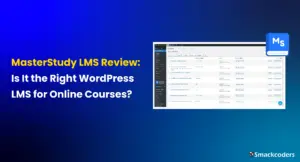
MasterStudy LMS Review: Is It the Right WordPress LMS for Online Courses?

Online learning is no longer optional for educators; it’s an expectation. To run structured courses, manage lessons, quizzes, assignments, payments, and students’ progress, you need more than just videos on your website. This is where a Learning Management System (LMS) plugin becomes essential. One plugin that has gained strong attention in recent years is MasterStudy LMS. In this review article,

WordPress Firewall Plugins Wordfence vs Sucuri

WordPress Firewall Plugins: Wordfence vs Sucuri

WordPress websites are one of the most common targets for hackers, bots, and automated attacks because of their popularity and open ecosystem. Even small blogs and business sites face risks like brute force login attempts, malware injections, and spam traffic. Basic security settings alone are not enough to stop these threats effectively. That is where WordPress firewall plugins play a

wp-ultimate-csv-importer-8-11-events-calendar-slim-seo-dropbox-and-more

Introducing WP Ultimate CSV Importer 8.11 with Dropbox, Slim SEO, and More

WP Ultimate CSV Importer has been a go-to tool for WordPress users around the world who need reliable import and export functionality. Each major release comes with a theme. Some release focus on performance, some on UI, and some on integrations. WP Ultimate CSV Importer 8.11 is special because it combines all three: stronger compatibility, smoother workflows, and practical improvements

Best-WordPress-speed-optimization-plugins

Best  WordPress  Speed  Optimization  Plugins

Do you want your visitors to load your websites very quickly?  Then this is the right place to explore more about it.  In this busy world, people expect everything to be fast and easy to find.   Likewise, if someone searches your website, it should be effortless to access and faster to know about.  The speed optimization plugin is the

How to enable & Configure WP-Cron

Parallel processing is one of the ways to get things done at a faster pace. WP Ultimate CSV Importer 5.0 has been recently released with faster import performance. The featured images from external URL are uploaded parallelly with the help of Cron in the background to make the import faster…Read More.

The-Power-of-eCommerce-video-marketing

The Power of Video Marketing: Boost Your eCommerce Store’s Success

Which catches your eye first? A long block of text, a picture, or a video.   Chances are, it’s a video. Statistics based on research, published by Synthesia report, Videos have proven to be the fastest way to capture people’s attention due to their motion effects, graphics, and sound. Due to the increasing demand for engaging content among people, eCommerce video

How-to-Speed-Up-your-WordPress-Website-Proven Tips

How to Speed Up Your WordPress Website

A fast website isn’t just a luxury—it’s a necessity in today’s competitive digital landscape. Website speed directly impacts your user experience, search engine rankings, and conversion rates. If your WordPress site is slow, you risk losing visitors, customers, and revenue. Luckily, improving your website’s speed doesn’t have to be overwhelming or require advanced technical skills. In this guide, we’ll walk

How-to-Use-AI-Powered-Personalization-for-ecommerce

How to Use AI-Powered Personalization to Elevate Your E-commerce Business 

Did you know that 80% of shoppers are more likely to buy from brands that deliver personalized experiences? AI-driven personalization isn’t just a trend—it’s a powerful strategy that can increase sales, improve customer satisfaction, and keep your business ahead of the curve.  This guide breaks down how AI-powered personalization works, its benefits, and how to use it to create a

How-to-use-acf-to-create-custom-fields-in-wordpress

How to Use ACF to Create Custom Fields in WordPress

As we all know, WordPress is a highly popular content management system (CMS) used by millions worldwide. Its flexibility and scalability allow users to create websites that suit various needs, from blogs to business sites, e-commerce platforms, and beyond. One of the key aspects of WordPress customization is the ability to add custom fields. These fields allow you to create

Top-10-best-wordpress-seo-plugins

Top 10 WordPress Plugins for SEO Optimization — Simplified

WordPress powers an impressive 40% of the internet, making it the go-to platform for building and managing websites. But here’s the thing—no matter how stunning or content-rich your site is, it won’t get much traffic without good SEO. That’s where plugins come in handy! SEO, or search engine optimization, is all about making sure people can find your site when

Top-4-WordPress-Popup-Builders

Top 4 WordPress Popup Builders

Grabbing the attention of your website visitors and keeping them engaged is crucial for driving business growth. One effective tool to achieve this is through the strategic use of popups. These versatile overlays can be used to promote special offers, collect email addresses, gather feedback, and deliver targeted messages. By leveraging a WordPress Popup Builder, you can easily create and

How-to-Create-a-Form-in-WordPress-Without-Plugins

How to Create Web Form in WordPress Without Plugins

To transform your WordPress website into an interactive hub for your visitors to contact you, subscribe to your newsletter, or submit inquiries – Forms where needed. Forms are powerful tools that bridge the gap between you and your audience. If you don’t want to create forms using plugins and prefer a more hands-on approach, WordPress offers the capability to create

How to Install ionCube Loaders for Various Hosting Types

Suppose you are using a hosting service that does not provide Ioncube Loaders, or you want to use a different loader for another reason. In that case, this article will show you how to install Ioncube Loaders on your hosting account. There are simple steps for various types of hosting accounts, so follow the instructions that apply to you.

WordPress-CSV-Import-Ultimate-Guide-for-beginers

WordPress CSV Import: Ultimate Guide for Beginners

CSV import is one of the most common requirements in WordPress websites, especially when you need to upload large amounts of data like posts, products, users, WooCommerce products, or custom content. Instead of adding data manually, CSV import allows you to upload everything quickly, accurately, and in a structured way. Whether you manage a blog, business website, or e-commerce store,

Wordpress-custom-Post-type-import-with-ACF-Integration

WordPress Custom Post Type Import with ACF Integration

WordPress Custom Post Type Import with ACF Integration refers to importing structured data into an existing Custom Post Type (CPT) while accurately mapping Advanced Custom Fields (ACF) so that all custom metadata is stored correctly in the WordPress database. This is especially important for websites that manage structured content such as properties, projects, events, directories, or listings where data goes

How-to-bulk-update-WooCommerce-prices-and-stocks-using-csv

How to Bulk Update WooCommerce Prices and Stocks Using CSV File

Maintaining accurate product prices and stock levels is a daily responsibility for WooCommerce store owners or maintainers. While this task may feel manageable in the early stages of a store, it becomes increasingly difficult as the number of products grows. Updating each product manually takes time, demands attention, and often leads to avoidable mistakes. Bulk updating WooCommerce prices and stock

WP-Ultimate-CSV-Importer-Pro-8-12-Easy-Digital-Downloads-support-bug-fixes

WP Ultimate CSV Importer Pro 8.12 — Easy Digital Downloads Plugin Support & Minor Bug Fixes

Hi, Our Beloved User Community! WP Ultimate CSV Importer Pro 8.12 is now live. This release introduces support for Easy Digital Downloads (EDD) along with a set of important bug fixes and security improvements that make everyday import and export workflows more stable and reliable. Version 8.12 focuses on two things that matter most to growing WordPress sites: If you

How-to-import-csv-files-in-wordpress-without-a-plugin

How to Import CSV Files in WordPress Without a Plugin in 2026

If you’re planning to transfer content to your WordPress site and wondering if it’s possible to do so without a plugin, then the answer is a resounding yes! Fortunately, WordPress offers several built in options that allow you to import without relying on a third party plugin. Moreover, it also supports various file types that cater to your specific needs. In this tutorial, we’ll guide you through the step by step process of importing programmatically to WordPress without the use of a third party plugin.

how_to_import_pages_in_WordPress

Import Pages to WordPress: A Helpful Guide

Discover the hassle free way to import pages in WordPress with our comprehensive guide. Follow our step by step instructions to streamline your site building process. Learn effective techniques and valuable tips for successful page importing.

How to Import CSV Files into WordPress Guide

How to Import CSV Files into WordPress Efficiently

Introduction to CSV Files and WordPress Definition of CSV files CSV files are the Comma Separated Value files that help you to store and transfer data in tabular format. In a CSV file, Each field is separated by a comma and each new record is separated by a line break.  In the Spreadsheet, the comma-separated fields are listed as columns

WP-Ultimate-CSV-Importer-Pro-price-Update

Big News: We’re Updating Prices for WP Ultimate CSV Importer Pro

Editor’s Note (Updated on August 18, 2025): We previously announced that the pricing update for WP Ultimate CSV Importer Pro would take effect on August 20, 2025. To give our users extra time, the update will now begin on August 27, 2025. All other details in this post remain the same. If you’ve been with us for years, you know

export-data-with-wp-query-ultimate-csv-importer

Introducing WP Ultimate CSV Importer Pro 8.5 – Built for Smarter Content Handling

We’re excited to roll out WP Ultimate CSV Importer Pro 8.5, a major update that puts powerful content management tools directly in your hands. From dynamic exports using WP_Query to font and style migrations across sites, this release takes a big leap forward in helping WordPress site admins, developers, and content teams handle data more efficiently than ever. Let’s explore

Export-Import-WordPress-Post-Page-Product-&-More

How to Export Import a Single WordPress Post, Page, Product, & More

WordPress makes managing your website content easier than ever, but what happens when you need to transfer individual posts, pages, or products between sites? Especially when you’re dealing with staging and production sites. With WP Ultimate CSV Importer Pro 8.1, you can now export and import individual posts, pages, products, and custom posts as a CSV file directly from the

Import-Export-Gravity-form-entries

How to Import Export Gravity Forms Entries with WP Ultimate CSV Importer Plugin

Gravity Forms is a powerhouse for creating dynamic forms on WordPress websites. From collecting customer feedback and managing surveys to handling event and user registrations, Gravity Forms entries often hold critical data. But what if you need to migrate these entries to another WordPress site or restore them from a backup? We’ve got you covered. WP Ultimate CSV Importer Plugin

import-export-listings-from-business-directory-geodirectory-and-more

How to Import & Export Listings from Business Directory, GeoDirectory & More

Are you running or managing a directory website on WordPress? It could be a business directory, a real estate site, or a classified ads platform. You know that managing hundreds or even thousands of listings can become overwhelming and it can be a lot to keep track of. WP Ultimate CSV Importer is a powerful plugin that makes it easy

How-to-Import-Export-Elementor-Websites-as-CSV

How to Easily Import and Export Elementor Websites as CSV

Elementor has revolutionized the way we build WordPress websites. Its intuitive interface and powerful features make crafting beautiful websites a breeze. No wonder it’s become the second most popular plugin on the internet! But even with Elementor’s built-in import and export kit, have you ever felt stuck? Imagine spending hours designing a stunning website template in Elementor, only to encounter

learn-how-to-export-wordpress-users

How to Export WordPress Users: A Step-by-Step Guide

Exporting user data in WordPress is a common task and helpful for scenarios like migrating your website, creating backups, syncing with external tools, or analyzing user information for strategic decision-making. Knowing how to export users helps you maintain control over your user base by making data accessible and transferable when needed.  Whether for data recovery, site migration, or analytics, exporting

How-to-import-users-and-customers-into-WordPress-using-csv

How to Import Users and Customers into WordPress Using CSV File

Importing users and customers into WordPress using a CSV file is one of the fastest and most reliable ways to manage bulk user creation. Instead of creating accounts manually one by one, you can upload a single CSV file and automatically generate hundreds or even thousands of WordPress user accounts in minutes using a WordPress CSV user import plugin. This

Add_external_url_links_to_featured_images_on_wordpress

How to Add External URLs to Featured Images in WordPress

Discover how to easily add external URL images as featured images for your WordPress posts and pages. Featured images convey the theme or concept of your content to readers. Learn here how you can change them when creating or editing a post. Read on to find out more.

WordPress-Security-Best-Practices-for-Data-Heavy-Sites

WordPress Security Best Practices for Data-Heavy Sites

Your WordPress website isn’t just a digital presence; it’s the foundation of your brand’s operations. It stores customer details, payment records, and critical content assets that drive your business every day. As your database grows and your site traffic increases, so does your exposure to potential security threats. From malware attacks and brute-force logins to database breaches and downtime, a

Building-Dynamic-WordPress-Sites-with-Custom-Post-Types

Building Dynamic WordPress Sites with Custom Post Types (Step-by-Step Guide)

What Makes a WordPress Site Dynamic? If you’ve ever felt your WordPress site looks too “static,” you’re not alone. Most sites rely on Posts and Pages, which are fine for blogs or simple websites, but limiting when you need something more structured. That’s where Custom Post Types (CPTs) come in. They allow you to organize content beyond the default setup.

Avoiding Common Mistakes When Growing a WooCommerce Store

Avoid Common WooCommerce Store Mistakes While Growing Your Business

With just a few clicks, anyone can set up a professional-looking store, upload products, and start selling worldwide now. WooCommerce, the platform’s flexibility and integration options for building an online store, make it the top choice for entrepreneurs who want full control over their eCommerce journey. However, while launching a WooCommerce store is simple, scaling it successfully is a different

Scaling-WooCommerce-manage-large-catalogs-and-orders-smoothly

Scaling WooCommerce: Managing Large Catalogs and Orders Smoothly

Scaling WooCommerce means building your online store so it can grow without slowing down or breaking. As your business attracts more visitors, adds more products, and receives more orders, your WooCommerce setup must stay stable, fast, and efficient. Think of it like upgrading from a small local store to a big hopping mall; you need stronger infrastructure, more staff, and

A-Complete-WordPress-Security-Checklist-Guide

A Complete WordPress Security Checklist Guide 2026

Imagine opening your website one morning and instead of your homepage, you see a red “Hacked!” warning. Your blog posts, client data, and brand reputation are gone overnight. It’s a nightmare scenario that’s become increasingly common. With over 43.6% of websites built on WordPress, the platform’s popularity has also made it a prime target for cybercriminals. According to cybersecurity reports,

Manage-Large-WordPress-Sites-Without-Slowing-Down

Best Practices to Manage Large WordPress Sites Without Slowing Down

Joe started his website as a small blog where he shared insights about digital marketing. Over time, his content gained traction, and what began as a simple project turned into a massive website with thousands of posts, images, and daily visitors. Everything looked great until one day his site began loading painfully slowly. Pages took forever to open, plugins conflicted,

WooCommerce-Product-Import-CSV-Template-Guide

WooCommerce Product Import: CSV Template Guide

Running a WooCommerce store becomes more challenging as your product catalog grows in size and complexity. Adding products manually one by one can take a significant amount of time and effort. Small mistakes in pricing, stock quantity, or SKU can create serious inventory and sales issues. Managing bulk updates without a proper system can also lead to inconsistencies. That is
Woocommerce-to-shopify-migration-guide

WooCommerce to Shopify Migration: Complete Step-by-Step Guide

WooCommerce to Shopify migration is the process of moving your online store from WooCommerce to Shopify while transferring essential data such as products, customers, and orders. Instead of rebuilding the store from the beginning, migration allows you to carry forward structured store data and continue operations with less disruption. This approach is commonly used by growing stores that want a

How-to-export-woocommerce-orders-to-google-sheets

How to Export WooCommerce Orders to Google Sheets

Exporting WooCommerce orders to Google Sheets helps store owners, bloggers, and developers manage, analyze, and share order data more efficiently. Rather than relying on static reports in WordPress or manually exporting CSV files, which can be time-consuming and error-prone, Google Sheets provides real-time access to your data, with options to filter, sort, and collaborate instantly. This makes it easier to

WooCommerce-Variable-Pricing-Calculator-–-Sell-by-Area-Volume-or-Length

WooCommerce Variable Pricing Calculator – Sell by Area, Volume, or Length

Ever tried selling something online that doesn’t fit standard sizes? Yeah. Think carpets, fabric, tiles, wood planks. Traditional WooCommerce pricing? Not built for this. Messy. Confusing. Customers get lost. Enter the WooCommerce Variable Pricing Calculator. Simple. Powerful. Makes measurement-based pricing easy. Fast. Accurate. Customers love it. We’ll break it down. Why it matters. How to use it. Even some SEO

Managing-woocommerce-inventory-best-practices

Managing WooCommerce Inventory: Best Practices for Scaling Stores

Inventory Management in WooCommerce Managing inventory in WooCommerce might sound simple when your store is small, just a few products, some orders a day, and manual tracking feels enough. But as your store scales, things change drastically. You start adding product variations, multiple suppliers, and sales from different channels such as Amazon or eBay. Suddenly, keeping your stock accurate becomes
how-to-prepare-your-woocommerce-store-for-high-traffic

How to Prepare Your WooCommerce Store to Handle High Traffic

Imagine your WooCommerce store as a hotel. A small hotel can handle a few guests efficiently, but when 100 people show up, the kitchen becomes chaotic, orders get delayed, and service quality drops. Now imagine a large hotel with a spacious kitchen, trained staff, and enough resources. Even if a thousand guests arrive at once, everything runs smoothly. Your WooCommerce

How-to-Migrate-shopify-to-woocommerce

Shopify to WooCommerce Migration: Made easy with Ultimate CSV Importer Pro 

Are you interested in scaling up your e-commerce store by migrating from Shopify to WooCommerce? You’ve come to the right place! This article provides step-by-step instructions on how to migrate Shopify to WooCommerce quickly and easily. In this post, we will explain how to transfer products, customers, and orders from Shopify to WooCommerce in detail. Why is WooCommerce a better

Import-WooCommerce-Products-with-Custom-Fields

How to Bulk Import WooCommerce Products with ACF Fields in 2025

Running an online store in 2025 requires more than just a standard catalog of products. It requires efficiency, customization, and scalability. For U.S. store owners, especially those selling unique or handmade products, managing a product catalog with custom fields is essential. It may need specific product specifications, such as size charts, material details, warranty information, or other attributes your customers

comprehensive-guide-to-polylang-plugin-for-wordpress-website

A Comprehensive Guide to Polylang Plugin for WordPress Website

Are you considering expanding your website’s reach beyond geographical borders? If your business starts to attract global customers, then it’ll be the right time to adjust your website for your global audience. Making your WordPress website multilingual is a fantastic way to connect with wider visitors and showcase your content to the world. This comprehensive guide will introduce you to

how-to-create-a-multilingual-website-with-wpml-in-wordpress

How to Create a Multilingual Website in WordPress with WPML

Have you decided to use WPML to create a multilingual website in WordPress? WordPress itself doesn’t have the option to make the website multilingual. You can only create one language website using WordPress. If you want to create a website in another language, then you need a new wordpress website but this is time-consuming and difficult to manage. That’s why

Mastering-WPML-Language-Localization

Mastering Language and Localization with WPML: A Comprehensive Guide

In the dynamic and interconnected digital landscape, breaking through language barriers is essential for reaching diverse audiences and expanding the reach of your WordPress website. WPML is the WordPress Multilingual Plugin that empowers website owners to create multilingual experiences with ease and efficiency. Understanding the intricacies of language management is crucial, Whether you’re a business looking to tap into new

polylang-import-products-woocommerce

Guide to Migrate Polylang Translation for WooCommerce Products, Orders, and Variations

Introduction In the dynamic world of e-commerce, businesses strive to reach a global audience by offering products and services in multiple languages. WordPress, with its powerful WooCommerce plugin, is a popular choice for building online stores. When it comes to managing multilingual content, Polylang emerges as a versatile solution. However, migrating translations for WooCommerce products using Polylang can be a

Polylang-Import-Translation-for-post-custom-post

Migrate Translated Posts & CPTs to Multilingual Site Using CSV Importer Pro

Introduction Multilingual websites are becoming increasingly common as businesses and individuals aim to reach a global audience. Polylang is a popular WordPress plugin that facilitates the creation of multilingual websites. In this tutorial, we’ll explore the process of Polylang migrating translations for various content types, including posts, pages, custom posts, and custom fields. What is Polylang? Before diving into the

how_to_import_and_export_advanced_custom_fields

How to Export and Import Advanced Custom Fields

Creating custom fields for the first time and assigning the created Advanced Custom Fields to Post, Page, Custom Post, Users, and WooCommerce Products takes less time. But the real headache starts to creep up only when you plan to push the content into the created advanced custom fields in your WordPress Website.

ppom-for-woocommerce-how-to-import-export-custom-fields

PPOM for WooCommerce: How to Import & Export Custom Fields

A store that prioritizes meeting customer expectations is well-positioned for success and can more easily win over customers. One effective way to achieve this is by providing a personalized product shopping experience. Customizing products to meet the user’s needs, which may vary for every customer, can lead to an increase in website sales. The PPOM(Personalized Product Option Manager) plugin for

How to Create and Import Custom Post Types in WordPress

This blog elucidates the process of creating and importing custom post types in WordPress. It also covers the basics of custom post types, including what they are, why you need them, and how to create them using plugins. Also, you will know how to import custom post types from other sources, such as a CSV file.

How to Import and Export Custom post types plugin data

Cultivate the power of WordPress customization with our comprehensive guide on importing and exporting custom post type data. Discover the integration of the ‘Custom Post Types’ plugin by Totalpress and the ‘Ultimate CSV Importer’ plugin. Elevate your content management game, whether you’re running a blog, eCommerce site, or a directory website. Learn the steps to effortlessly import and export custom post types and harness the full potential of your WordPress site.