Latest WordPress & WooCommerce Blog Posts

How-to-Import-CSV-Files-in-WordPress-Without-a-Plugin

How to Import CSV Files in WordPress Without a Plugin in 2026

If you’re planning to transfer content to your WordPress site and wondering if it’s possible to do so without a plugin, then the answer is a resounding yes! Fortunately, WordPress offers several built in options that allow you to import without relying on a third party plugin. Moreover, it also supports various file types that cater to your specific needs. In this tutorial, we’ll guide you through the step by step process of importing programmatically to WordPress without the use of a third party plugin.

How-to-optimize-wordpress-database-performance-for-large-sites

How to Optimize WordPress Database Performance for Large Sites – Step-by-Step Guide

Knowing how to optimize WordPress database for large sites becomes critical the moment your site scales – thousands of posts, WooCommerce products, or active users mean constant queries every second. Without the right structure, slow queries and bloated tables drag down page speed and cause timeouts during peak traffic. This guide covers advanced indexing, caching, and query optimization for large

How-to-enable-and-configure-WP-Cron

How to enable & Configure WP-Cron

Parallel processing is one of the ways to get things done at a faster pace. WP Ultimate CSV Importer 5.0 has been recently released with faster import performance. The featured images from external URL are uploaded parallelly with the help of Cron in the background to make the import faster…Read More.

How-to-install-ionCube-Loaders

How to Install ionCube Loaders on Any Server, Hosting or PHP Environment

Suppose you are using a hosting service that does not provide Ioncube Loaders, or you want to use a different loader for another reason. In that case, this article will show you how to install Ioncube Loaders on your hosting account. There are simple steps for various types of hosting accounts, so follow the instructions that apply to you.

how_to_import_and_export_advanced_custom_fields

How to Export and Import Advanced Custom Fields

Creating custom fields for the first time and assigning the created Advanced Custom Fields to Post, Page, Custom Post, Users, and WooCommerce Products takes less time. But the real headache starts to creep up only when you plan to push the content into the created advanced custom fields in your WordPress Website.

Shopify-Access-Token-Changes-Complete-Guide-for-Developers

Shopify Access Token Changes (2026): Complete Guide for Developers

Shopify’s developer ecosystem has undergone several structural changes over the past few years, particularly in the way applications authenticate with the platform. Earlier integrations relied heavily on permanent API tokens generated directly from the Shopify admin interface. While this method made integrations easier to set up, it also introduced long-term security risks. To address these issues, Shopify has transitioned toward

Top-10-best-wordpress-seo-plugins

Top 10 WordPress Plugins for SEO Optimization — Simplified

WordPress powers an impressive 40% of the internet, making it the go-to platform for building and managing websites. But here’s the thing—no matter how stunning or content-rich your site is, it won’t get much traffic without good SEO. That’s where plugins come in handy! SEO, or search engine optimization, is all about making sure people can find your site when

Export-Import-WordPress-Post-Page-Product-&-More

How to Export Import a Single WordPress Post, Page, Product, & More

WordPress makes managing your website content easier than ever, but what happens when you need to transfer individual posts, pages, or products between sites? Especially when you’re dealing with staging and production sites. With WP Ultimate CSV Importer Pro 8.1, you can now export and import individual posts, pages, products, and custom posts as a CSV file directly from the

How-to-Use-AI-Powered-Personalization-for-ecommerce

How to Use AI-Powered Personalization to Elevate Your E-commerce Business 

Did you know that 80% of shoppers are more likely to buy from brands that deliver personalized experiences? AI-driven personalization isn’t just a trend, it’s a powerful strategy that can increase sales, improve customer satisfaction, and keep your business ahead of the curve.  This guide breaks down how AI-powered personalization works, its benefits, and how to use it to create

How-to-use-acf-to-create-custom-fields-in-wordpress

How to Use ACF to Create Custom Fields in WordPress

As we all know, WordPress is a highly popular content management system (CMS) used by millions worldwide. Its flexibility and scalability allow users to create websites that suit various needs, from blogs to business sites, e-commerce platforms, and beyond. One of the key aspects of WordPress customization is the ability to add custom fields. These fields allow you to create

Top-4-WordPress-Popup-Builders

Top 4 WordPress Popup Builders

Grabbing the attention of your website visitors and keeping them engaged is crucial for driving business growth. One effective tool to achieve this is through the strategic use of popups. These versatile overlays can be used to promote special offers, collect email addresses, gather feedback, and deliver targeted messages. By leveraging a WordPress Popup Builder, you can easily create and

How-to-Create-a-Form-in-WordPress-Without-Plugins

How to Create Web Form in WordPress Without Plugins

To transform your WordPress website into an interactive hub for your visitors to contact you, subscribe to your newsletter, or submit inquiries – Forms where needed. Forms are powerful tools that bridge the gap between you and your audience. If you don’t want to create forms using plugins and prefer a more hands-on approach, WordPress offers the capability to create

How to Import CSV Files into WordPress Guide

How to Import CSV Files into WordPress Efficiently

Introduction to CSV Files and WordPress Definition of CSV files CSV files are the Comma Separated Value files that help you to store and transfer data in tabular format. In a CSV file, Each field is separated by a comma and each new record is separated by a line break.  In the Spreadsheet, the comma-separated fields are listed as columns

WP-Ultimate-CSV-Importer-Pro-price-Update

Big News: We’re Updating Prices for WP Ultimate CSV Importer Pro

Editor’s Note (Updated on August 18, 2025): We previously announced that the pricing update for WP Ultimate CSV Importer Pro would take effect on August 20, 2025. To give our users extra time, the update will now begin on August 27, 2025. All other details in this post remain the same. If you’ve been with us for years, you know

How-to-Import-Posts-or-Products-from-Excel-to-WordPress

How to Import Posts or Products from Excel to WordPress – WP Ultimate CSV Importer

You’ve spent hours crafting perfect blog posts or carefully listing product details in an Excel sheet. Now, the thought of transferring each entry one by one into WordPress feels overwhelming.  The manual approach is slow, repetitive, and prone to errors. What if there were a smarter way to move your entire Excel content directly into WordPress? Fortunately, there is! This

wp-ultimate-csv-importer-8-7

WP Ultimate CSV Importer 8.7: More Filters, Smarter Controls, and New Plugin Integrations

Every import or export action you run isn’t just about moving data. It’s about launching a product on time. Getting a client report out the door. Publishing a hundred blog posts without breaking your formatting. Or migrating a WooCommerce store with all its customers and orders intact. We’ve seen how deeply the WP Ultimate CSV Importer plugin is woven into

ultimate-csv-importer-pro-release-8.6-wp-rental-serialized-import-export

WP Ultimate CSV Importer Pro 8.6 — Real Estate Theme Compatibility & More

Handling WordPress data should be fast, flexible, and frustration-free, whether you are launching a new website, dealing with complex custom fields, or migrating massive datasets. That’s exactly what WP Ultimate CSV Importer is built for. We’re thrilled to announce the rollout of WP Ultimate CSV Importer Pro 8.6. In this release, we’ve added compatibility with the popular real estate theme

Ultimate-csv-Importer-Vulnerbility-fix

Security Vulnerability Fixed in WP Ultimate CSV Importer – Here’s What Changed

Security is something we should take seriously — not just when everything’s running smoothly, but especially when things need our attention. Recently, a couple of security vulnerabilities were reported in the free version of our WP Ultimate CSV Importer plugin by the Wordfence team. These were disclosed through the Wordfence Bug Bounty Program, and we acted immediately to fix the

One-click-import-and-migrate-wordpress

How to Migrate WordPress & WooCommerce Site Data with WP Ultimate CSV Importer

For years, WP Ultimate CSV Importer has been the go-to solution for managing bulk data imports and exports in WordPress. Whether you’re handling WooCommerce products, blog posts, users, or custom post types, our tool has made large-scale data operations smooth and efficient. Now, we’re taking convenience to the next level. We’re excited to introduce One-Click Import Migration in our latest

How-to-Import-Export-Elementor-Websites-as-CSV

How to Easily Import and Export Elementor Websites as CSV

Elementor has revolutionized the way we build WordPress websites. Its intuitive interface and powerful features make crafting beautiful websites a breeze. No wonder it’s become the second most popular plugin on the internet! But even with Elementor’s built-in import and export kit, have you ever felt stuck? Imagine spending hours designing a stunning website template in Elementor, only to encounter

learn-how-to-export-wordpress-users

How to Export WordPress Users: A Step-by-Step Guide

Exporting user data in WordPress is a common task and helpful for scenarios like migrating your website, creating backups, syncing with external tools, or analyzing user information for strategic decision-making. Knowing how to export users helps you maintain control over your user base by making data accessible and transferable when needed.  Whether for data recovery, site migration, or analytics, exporting

How-to-Scale-Your-WordPress-Site-for-High-Traffic

How to Scale Your WordPress Site for High Traffic: Guide for Developers and Site Owners

Your WordPress site is humming along smoothly, steady traffic, consistent sales, and satisfied readers. Then one day, a viral post, influencer mention, or seasonal campaign sends visitors flooding in by the thousands. Within minutes, your site slows to a crawl or, worse, crashes entirely. This isn’t just a minor inconvenience; it’s a direct hit to your brand credibility, user trust,

WordPress-7.0-new-release-features-changes

WordPress 7.0: What’s New, What’s Changing, and How to Prepare

Not long ago, managing a website meant working alone in the editor, writing posts, uploading images, and publishing updates one step at a time. Today, the way websites are built has changed significantly. Teams collaborate across locations, editorial workflows involve multiple contributors, and websites must adapt quickly to new technologies. As WordPress continues to power a large portion of the

Best practices for maintaining a secure WordPress site

Best Practices for Maintaining a Secure WordPress Site (2026 Guide)

A WordPress site is not something that can be set up and left alone; it’s a living system that needs regular care to stay safe, fast, and reliable. Maintenance for WordPress sites includes the planned, regular tasks that keep the core software, themes, plugins, and hosting infrastructure of your site running smoothly. It’s kind of like taking care of a

how-to-connect-claude-ChatGPT-and-Gemini-wordpress

How to Connect Claude, ChatGPT, and Gemini in WordPress (Step-by-Step)

Artificial intelligence is reshaping how WordPress site owners create content, handle customer support, and automate workflows in 2026. From solo bloggers to growing eCommerce brands, AI tools have moved from being optional add-ons to becoming core infrastructure for high-performing websites. The competition is no longer just about who publishes more, it is about who publishes smarter using the right AI

how-to-restore-wordpress-site-from-backup

How to import and restore WordPress Site from Backup

Accidentally deleted your WordPress site? Hit by a hack or server crash? The fastest way to restore WordPress site is from a backup – get back online without losing your data. In this guide, you’ll learn exactly how to restore a WordPress site from a backup – step by step – whether you’re using FTP, phpMyAdmin, or a backup plugin

WordPress-Multisite-Best-Practices-2026-Admin-Guide

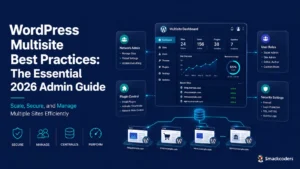
WordPress Multisite Best Practices: The Essential 2026 Admin Guide

If you’re managing five, fifteen, or even fifty WordPress sites, you’ve probably noticed that “Update available” notifications now eat entire mornings. Plugin licenses multiply. Brand inconsistencies creep in between properties. A security patch on Site #12 quietly gets forgotten,  until something breaks at 2 a.m. These WordPress Multisite best practices exist for exactly this reason. Multisite, a feature built into

WP-leads-builder-for-CRM-scaled

Best WordPress CRM Plugin to Capture Leads Using WP Leads Builder

Most WordPress sites still email form submissions to a shared inbox. Someone copies the details into Zoho or Salesforce on Monday, the lead sits cold for two days, and the reporting dashboard never matches reality. The fix is one plugin that pushes every WordPress form submission straight into your CRM, with the right owner, the right lead source, and no

AI Powered CSV Import for WordPress: Smart New Features

WP Ultimate CSV Importer Pro now brings AI powered CSV import to WordPress, and it genuinely shifts how the work feels. You describe what you want in AI Natural Language, and the plugin handles the setup, mapping, and validation on its own. This release adds four AI features: natural language imports, smart field mapping, duplicate detection, and pre-import error checks.

WooCommerce-Product-Import-CSV-Template-Guide

WooCommerce Product Import: CSV Template Guide

Running a WooCommerce store becomes more challenging as your product catalog grows in size and complexity. Adding products manually one by one can take a significant amount of time and effort. Small mistakes in pricing, stock quantity, or SKU can create serious inventory and sales issues. Managing bulk updates without a proper system can also lead to inconsistencies. That is

Woocommerce-to-shopify-migration-guide

WooCommerce to Shopify Migration: Complete Step-by-Step Guide

WooCommerce to Shopify migration is the process of moving your online store from WooCommerce to Shopify while transferring essential data such as products, customers, and orders. Instead of rebuilding the store from the beginning, migration allows you to carry forward structured store data and continue operations with less disruption. This approach is commonly used by growing stores that want a

How-to-export-woocommerce-orders-to-google-sheets

How to Export WooCommerce Orders to Google Sheets

Exporting WooCommerce orders to Google Sheets helps store owners, bloggers, and developers manage, analyze, and share order data more efficiently. Rather than relying on static reports in WordPress or manually exporting CSV files, which can be time-consuming and error-prone, Google Sheets provides real-time access to your data, with options to filter, sort, and collaborate instantly. This makes it easier to

How-to-bulk-update-WooCommerce-prices-and-stocks-using-csv

How to Bulk Update WooCommerce Prices and Stocks Using CSV File

Maintaining accurate product prices and stock levels is a daily responsibility for WooCommerce store owners or maintainers. While this task may feel manageable in the early stages of a store, it becomes increasingly difficult as the number of products grows. Updating each product manually takes time, demands attention, and often leads to avoidable mistakes. Bulk updating WooCommerce prices and stock

WooCommerce-Variable-Pricing-Calculator-–-Sell-by-Area-Volume-or-Length

WooCommerce Variable Pricing Calculator – Sell by Area, Volume, or Length

Ever tried selling something online that doesn’t fit standard sizes? Yeah. Think carpets, fabric, tiles, wood planks. Traditional WooCommerce pricing? Not built for this. Messy. Confusing. Customers get lost. Enter the WooCommerce Variable Pricing Calculator. Simple. Powerful. Makes measurement-based pricing easy. Fast. Accurate. Customers love it. We’ll break it down. Why it matters. How to use it. Even some SEO

Managing-woocommerce-inventory-best-practices

Managing WooCommerce Inventory: Best Practices for Scaling Stores

Inventory Management in WooCommerce Managing inventory in WooCommerce might sound simple when your store is small, just a few products, some orders a day, and manual tracking feels enough. But as your store scales, things change drastically. You start adding product variations, multiple suppliers, and sales from different channels such as Amazon or eBay. Suddenly, keeping your stock accurate becomes

how-to-prepare-your-woocommerce-store-for-high-traffic

How to Prepare Your WooCommerce Store to Handle High Traffic

Imagine your WooCommerce store as a hotel. A small hotel can handle a few guests efficiently, but when 100 people show up, the kitchen becomes chaotic, orders get delayed, and service quality drops. Now imagine a large hotel with a spacious kitchen, trained staff, and enough resources. Even if a thousand guests arrive at once, everything runs smoothly. Your WooCommerce

How-to-Migrate-shopify-to-woocommerce

Shopify to WooCommerce Migration: Made easy with Ultimate CSV Importer Pro 

Are you interested in scaling up your e-commerce store by migrating from Shopify to WooCommerce? You’ve come to the right place! This article provides step-by-step instructions on how to migrate Shopify to WooCommerce quickly and easily. In this post, we will explain how to transfer products, customers, and orders from Shopify to WooCommerce in detail. Why is WooCommerce a better