Latest WordPress & WooCommerce Blog Posts

Best-WordPress-speed-optimization-plugins

Best  WordPress  Speed  Optimization  Plugins

Do you want your visitors to load your websites very quickly?  Then this is the right place to explore more about it.  In this busy world, people expect everything to be fast and easy to find.   Likewise, if someone searches your website, it should be effortless to access and faster to know about.  The speed optimization plugin is the

how-to-connect-claude-ChatGPT-and-Gemini-wordpress

How to Connect Claude, ChatGPT, and Gemini in WordPress (Step-by-Step)

Artificial intelligence is reshaping how WordPress site owners create content, handle customer support, and automate workflows in 2026. From solo bloggers to growing eCommerce brands, AI tools have moved from being optional add-ons to becoming core infrastructure for high-performing websites. The competition is no longer just about who publishes more, it is about who publishes smarter using the right AI

how-to-restore-wordpress-site-from-backup

How to import and restore WordPress Site from Backup

Accidentally deleted your WordPress site? Hit by a hack or server crash? The fastest way to restore WordPress site is from a backup – get back online without losing your data. In this guide, you’ll learn exactly how to restore a WordPress site from a backup – step by step – whether you’re using FTP, phpMyAdmin, or a backup plugin

Best-WooCommerce-affiliate-plugins

Top 10 Best WooCommerce Affiliate Plugins in 2026

About 80% of businesses say that affiliate marketing has increased their revenue. Moreover, some businesses have even seen a 30% increase in their revenue due to affiliate programs. Want to know how? This article will provide a detailed overview of the benefits of affiliate programs and how you can achieve more sales, profit, and traffic to your WooCommerce site by

WordPress-Multisite-Best-Practices-2026-Admin-Guide

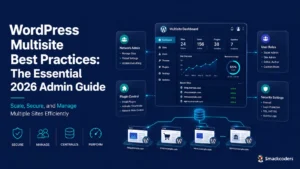
WordPress Multisite Best Practices: The Essential 2026 Admin Guide

If you’re managing five, fifteen, or even fifty WordPress sites, you’ve probably noticed that “Update available” notifications now eat entire mornings. Plugin licenses multiply. Brand inconsistencies creep in between properties. A security patch on Site #12 quietly gets forgotten,  until something breaks at 2 a.m. These WordPress Multisite best practices exist for exactly this reason. Multisite, a feature built into

WP-leads-builder-for-CRM-scaled

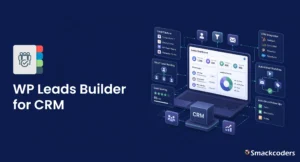
Best WordPress CRM Plugin to Capture Leads Using WP Leads Builder

Most WordPress sites still email form submissions to a shared inbox. Someone copies the details into Zoho or Salesforce on Monday, the lead sits cold for two days, and the reporting dashboard never matches reality. The fix is one plugin that pushes every WordPress form submission straight into your CRM, with the right owner, the right lead source, and no

AI Powered CSV Import for WordPress: Smart New Features

WP Ultimate CSV Importer Pro now brings AI powered CSV import to WordPress, and it genuinely shifts how the work feels. You describe what you want in AI Natural Language, and the plugin handles the setup, mapping, and validation on its own. This release adds four AI features: natural language imports, smart field mapping, duplicate detection, and pre-import error checks.

Wordpress-User-role-management

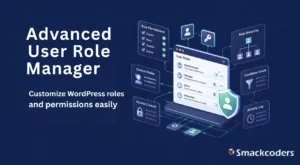
WordPress User Role Management: The Complete Guide with Advanced User Role Manager

WordPress user role management is how site owners control what each team member can see, edit, and publish from administrators who can do everything, to subscribers who can barely do anything. WordPress ships with six default roles that cover the basics, but most growing teams outgrow them fast. That’s where Advanced User Role Manager, a free plugin from Smackcoders, comes

A-Complete-WordPress-Security-Checklist-Guide

A Complete WordPress Security Checklist Guide 2026

Imagine opening your website one morning and instead of your homepage, you see a red “Hacked!” warning. Your blog posts, client data, and brand reputation are gone overnight. It’s a nightmare scenario that’s become increasingly common. With over 43.6% of websites built on WordPress, the platform’s popularity has also made it a prime target for cybercriminals. According to cybersecurity reports,

Manage-Large-WordPress-Sites-Without-Slowing-Down

Best Practices to Manage Large WordPress Sites Without Slowing Down

Joe started his website as a small blog where he shared insights about digital marketing. Over time, his content gained traction, and what began as a simple project turned into a massive website with thousands of posts, images, and daily visitors. Everything looked great until one day his site began loading painfully slowly. Pages took forever to open, plugins conflicted,

wordpress database optimization for speed and stability

WordPress Database Optimizing for Speed and Stability

If you’ve ever wondered why your WordPress site feels slower over time, even though you haven’t changed much, the answer often lies in your database. Behind every post you publish, every comment left by a reader, and every plugin you install, there’s a structured set of tables quietly storing all that data. Think of your WordPress database as the heart

wordpress admin productivity hacks every developer should know

WordPress Admin Hacks That Save Developers Hours Every Week

Managing a WordPress website can often feel like a never-ending juggling act. Between frequent plugin updates, theme adjustments, content approvals, and performance checks, even experienced developers can find themselves spending hours on repetitive admin tasks. These daily maintenance routines, though essential, can easily drain productivity and creativity. That’s where WordPress admin productivity hacks come in. By learning to streamline your

How to create a reliable wordpress backup and restore strategy

How to Create a Reliable WordPress Backup & Restore Strategy – A Quick Guide

The web moves fast. A plugin update, server crash, or human error can undo years of hard work in minutes. Your data is the foundation of your brand, whether you’re in charge of an eCommerce store that’s growing, a business website, or your personal portfolio. Unfortunately, cyberattacks, mistakes made by people, and hosting problems are still very common. WordPress websites

how to safely clean and update outdated wordpress plugins and data

How to Safely Clean and Update Outdated WordPress Plugins & Data

Imagine your WordPress site has been running smoothly for years, generating traffic, leads, or revenue, but lately, things feel slower. Pages take a long time to load, the dashboard shows a dozen plugin update notifications, and some plugins haven’t been updated in over 200 days or more. These outdated plugins and leftover data aren’t just slowing your site down; they’re

How-to-Improve-Core-Web-Vitals-in-WordPress

How to Improve Core Web Vitals in WordPress (A Complete Guide)

Even today, WordPress continues to be the most popular platform for building websites. From startups and blogs to enterprise-grade eCommerce stores, businesses rely on its flexibility and plugin ecosystem. However, with this popularity comes a challenge: maintaining speed, stability, and scalability in an era where performance directly affects both rankings and revenue. A slow website isn’t just annoying; it can

The monthly wordpress maintenance checklist

The Monthly WordPress Maintenance Checklist

Your WordPress site is up and running smoothly, and it’s getting visitors. But keeping it that way takes more than just posting content or tweaking a few settings. Behind every well-performing WordPress site lies a consistent maintenance routine that ensures stability, speed, and security month after month. Regular maintenance isn’t optional; it’s essential. With plugin updates, evolving security threats, and