Latest WordPress & WooCommerce Blog Posts

How-to-export-woocommerce-orders-to-google-sheets

How to Export WooCommerce Orders to Google Sheets

Exporting WooCommerce orders to Google Sheets helps store owners, bloggers, and developers manage, analyze, and share order data more efficiently. Rather than relying on static reports in WordPress or manually exporting CSV files, which can be time-consuming and error-prone, Google Sheets provides real-time access to your data, with options to filter, sort, and collaborate instantly. This makes it easier to
How-to-bulk-update-WooCommerce-prices-and-stocks-using-csv

How to Bulk Update WooCommerce Prices and Stocks Using CSV File

Maintaining accurate product prices and stock levels is a daily responsibility for WooCommerce store owners or maintainers. While this task may feel manageable in the early stages of a store, it becomes increasingly difficult as the number of products grows. Updating each product manually takes time, demands attention, and often leads to avoidable mistakes. Bulk updating WooCommerce prices and stock

WP-Ultimate-CSV-Importer-Pro-8-12-Easy-Digital-Downloads-support-bug-fixes

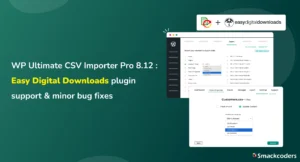
WP Ultimate CSV Importer Pro 8.12 — Easy Digital Downloads Plugin Support & Minor Bug Fixes

Hi, Our Beloved User Community! WP Ultimate CSV Importer Pro 8.12 is now live. This release introduces support for Easy Digital Downloads (EDD) along with a set of important bug fixes and security improvements that make everyday import and export workflows more stable and reliable. Version 8.12 focuses on two things that matter most to growing WordPress sites: If you

WooCommerce-Variable-Pricing-Calculator-–-Sell-by-Area-Volume-or-Length

WooCommerce Variable Pricing Calculator – Sell by Area, Volume, or Length

Ever tried selling something online that doesn’t fit standard sizes? Yeah. Think carpets, fabric, tiles, wood planks. Traditional WooCommerce pricing? Not built for this. Messy. Confusing. Customers get lost. Enter the WooCommerce Variable Pricing Calculator. Simple. Powerful. Makes measurement-based pricing easy. Fast. Accurate. Customers love it. We’ll break it down. Why it matters. How to use it. Even some SEO

How-to-import-csv-files-in-wordpress-without-a-plugin

How to Import CSV Files in WordPress Without a Plugin in 2026

If you’re planning to transfer content to your WordPress site and wondering if it’s possible to do so without a plugin, then the answer is a resounding yes! Fortunately, WordPress offers several built in options that allow you to import without relying on a third party plugin. Moreover, it also supports various file types that cater to your specific needs. In this tutorial, we’ll guide you through the step by step process of importing programmatically to WordPress without the use of a third party plugin.

WordPress-Security-Best-Practices-for-Data-Heavy-Sites

WordPress Security Best Practices for Data-Heavy Sites

Your WordPress website isn’t just a digital presence; it’s the foundation of your brand’s operations. It stores customer details, payment records, and critical content assets that drive your business every day. As your database grows and your site traffic increases, so does your exposure to potential security threats. From malware attacks and brute-force logins to database breaches and downtime, a

Managing-woocommerce-inventory-best-practices

Managing WooCommerce Inventory: Best Practices for Scaling Stores

Inventory Management in WooCommerce Managing inventory in WooCommerce might sound simple when your store is small, just a few products, some orders a day, and manual tracking feels enough. But as your store scales, things change drastically. You start adding product variations, multiple suppliers, and sales from different channels such as Amazon or eBay. Suddenly, keeping your stock accurate becomes

how-to-prepare-your-woocommerce-store-for-high-traffic

How to Prepare Your WooCommerce Store to Handle High Traffic

Imagine your WooCommerce store as a hotel. A small hotel can handle a few guests efficiently, but when 100 people show up, the kitchen becomes chaotic, orders get delayed, and service quality drops. Now imagine a large hotel with a spacious kitchen, trained staff, and enough resources. Even if a thousand guests arrive at once, everything runs smoothly. Your WooCommerce

a guide to wordpress caching

A Guide to Caching in WordPress: Speed Up Your Site (2026)

Every day, more people are visiting your WordPress site, and this is great news! But sudden spikes in traffic, like a viral blog post, a new marketing campaign, or a flash sale, can put a lot of pressure on your server. This causes your pages to load slowly. When pages take too long to load, visitors get frustrated and may

Top 10 must do maintenance tasks for woocommerce stores

Must-Do Maintenance Tasks for WooCommerce Stores: Top 10 in 2025 (Expert Guide)

David runs a successful online boutique. Everything on his WooCommerce store works perfectly. Orders are flowing in, pages are loading faster, and customers are checking out smoothly. But one day, without warning, things start to fall apart. An untested update, a plugin conflict, or a sudden traffic spike slows down his site, breaks the checkout, and hurts the sales. It

WordPress user role management 2025 master guide

WordPress User Role Management 2025: Master Guide

You’ve built a thriving WordPress website that attracts thousands of visitors each week. Your content team is expanding, your marketing department wants editing access, and your developers need backend privileges. But one day, a seemingly harmless action, a new Editor accidentally deletes an important landing page. Overnight, your traffic drops, leads vanish, and the error surface. This is not just

how-to-restore-wordpress-site-from-backup

How to import and restore WordPress Site from Backup

In today’s world, your WordPress website is a bunch of pages that reflect your creativity. More than a page, it is a digital masterpiece. But sometimes, things can go wrong. Whether it’s a technical glitch or an unexpected issue, problems can pop up when you least expect them. The good news? You don’t need to panic. In this guide, we’ll

How-to-Create-WordPress-Post-Without-Coding

How to Create Your First WordPress Post Without Coding

Are you a beginner who has just begun your WordPress journey? No stress, we’ve got your back. Publishing a post on WordPress is surprisingly straightforward! The learning curve with WordPress may be a little steep, but once you get the hang of it, you can leverage its brilliant features to upgrade your digital presence remarkably. This blog will cover all

Free-WordPress-Contact-Form

How to Add a Contact Form to WordPress Without Cost

Don’t make the same mistake many bloggers make by not including a contact form on your webpage. Contact forms serve as the bridge connecting your audience with you. Breaking this connection will only leave you in the dark about how your content is effective and what your audience likes the most. Are you ready to bridge that gap? We are

How-to-Make-Your-WordPress-Site-Voice-Search-Ready

How to Make Your WordPress Site Voice Search Ready

Life has never been easier than now, as you can browse anything without even typing. Saying, “Hey Siri, where is the nearest restaurant?” or “Ok Google, how long does it take to get to the nearest gas station?” is all you need to find the closest restaurant or gas station. Even kids aren’t exempt from this technology; they use voice

How-to-boost-wordpress-security-with-ai-tools

How to Boost WordPress Security with AI Tools 

Can you imagine how many websites get hacked each day? 30,000! Huge, right? This adds up to over 10 million breaches every year. WordPress is the most popularly used CMS around the world. Being open source and widely used, WordPress sites are the target of hackers. Another emerging trend is the hacking of websites by attackers in unusual ways, owing to