
Field mapping in W2S – WooCommerce to Shopify Sync defines how data fields from WooCommerce align with corresponding fields in Shopify during synchronization. W2S uses predefined, system-controlled mappings to ensure reliable and consistent data transfer.
This guide explains:
- How default field mapping works
- What can and cannot be customized
- How W2S matches records internally
- Best practices for avoiding data mismatches
How Field Mapping Works in W2S #
Unlike manual import tools, W2S does not rely on user-defined drag-and-drop field mapping. Instead, it uses built-in mappings designed specifically for WooCommerce and Shopify data structures.
This approach ensures accurate syncing without configuration errors, compatibility with live stores, and safe bidirectional synchronization. Field mapping in W2S is automatic and rule-based, not manual.
Default Product Field Mapping #
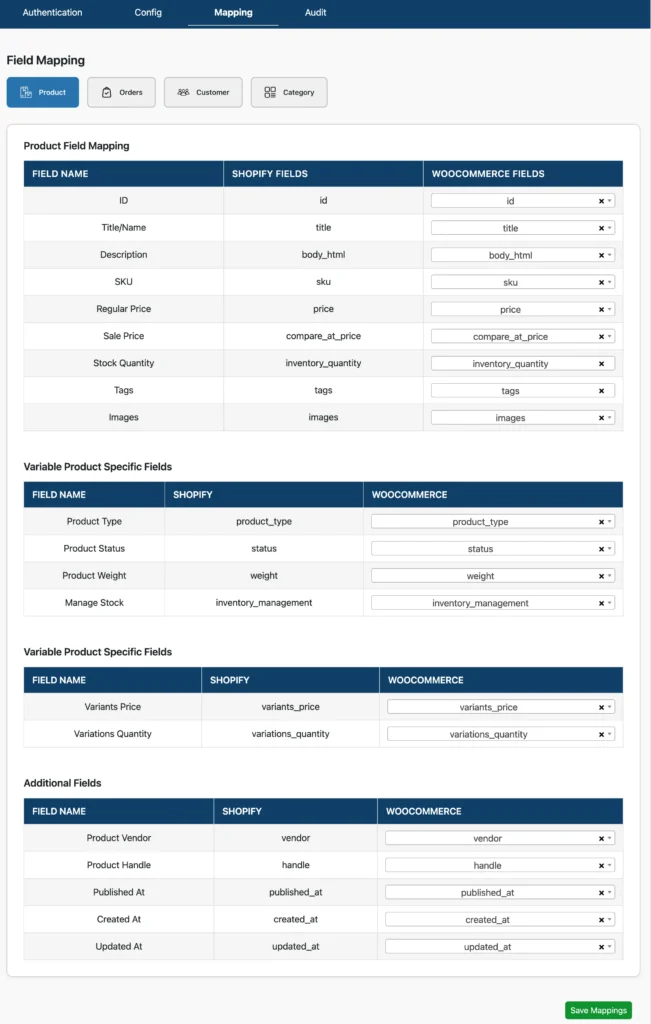
W2S automatically maps the following product fields:
| WooCommerce Field | Shopify Field | Notes |
| Product title | Product title | Synced as-is |
| Short & long description | Product description | HTML preserved |
| SKU | Variant SKU | Required for matching |
| Regular price | Variant price | Currency unchanged |
| Sale price | Compare-at price | If applicable |
| Stock quantity | Inventory quantity | Based on stock settings |
| Stock status | Inventory availability | In-stock / out-of-stock |
| Product images | Product images | Featured + gallery |
| Categories | Collections | Hierarchy preserved (Pro) |
| Tags | Tags | Synced as text |
These mappings are applied automatically during sync.
Variable & Grouped Products #
For variable products:
- WooCommerce attributes map to Shopify variants
- Each variation becomes a Shopify variant
- Variation SKUs are required for accurate mapping
Grouped products are supported fully in W2S Pro, where child products are preserved rather than flattened.
Order Field Mapping #
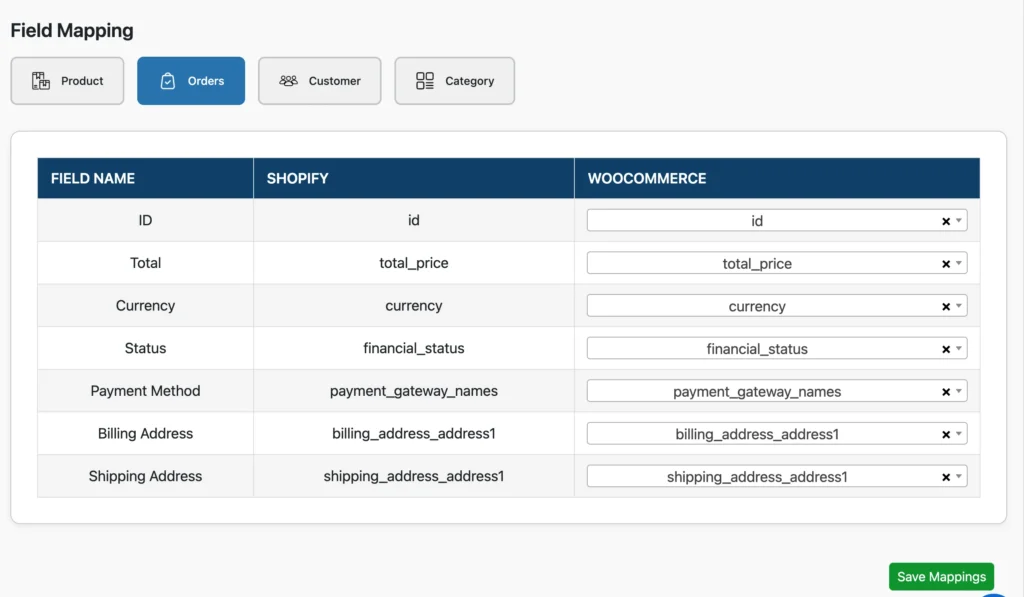
Order fields are pre-mapped.
Mapped data includes:
- Order total
- Currency (no conversion)
- Financial status
- Customer email
- Billing and shipping address
- Line items (product name, SKU, quantity, price)
Customer Field Mapping #
Customer matching relies primarily on email address.
Mapped fields include:
- First name
- Last name
- Email address
- Phone number (if available)
- Billing address
- Shipping address
When syncing to WooCommerce:
- A WordPress user account is created
- Role is set to Customer
When syncing to Shopify:
- A Shopify customer record is created
- Email is preserved exactly

Passwords are never transferred.
Record Matching Logic #
W2S matches records using stable identifiers rather than manual field mapping.
Products
- SKU (primary)
- Internal mapping from previous sync
Customers
- Email address
- Internal customer mapping
Orders
- Internal order mapping
- Order reference generated during sync
This prevents duplication and ensures data integrity.
What You Can Control vs What Is Fixed #
You Can Control
- Sync direction
- Which entities sync
- Allowed actions (create, update, delete)
- Filters (status, role, scope)
- Timing (on-save, schedule)
Fixed by the System
- Field-to-field mappings
- Matching logic
- Required identifiers
- Data structure validation
Best Practices for Field Accuracy #
- Always ensure SKUs exist before syncing products
- Ensure customer emails are unique and valid
- Sync customers before orders
- Avoid changing identifiers after sync
- Test with limited data first
- Review audit logs after each sync
Common Issues and Solutions #
Product Data Not Updating
Reasons might include:
- SKU mismatch
- Update action not enabled
- Product synced only once
Solution: Verify SKU consistency and enable actions.
Duplicate Customers
Duplicate customers are created if
- The same email exists on both platforms
- Customers were created manually on both sides
Solution: Sync customers before orders and avoid manual duplication.
Fields Not Syncing as Expected
Reasons include,
- Field not supported by W2S
- Custom field outside default mapping
Solution: Confirm the field is part of supported mappings or contact support for customization.
When Custom Mapping Is Required #
If your business requires:
- Custom product meta sync
- Third-party plugin field sync
- Special data transformations
Contact Smackcoders for custom extension development.
Related Documentation #
- Product Synchronization Guide
- Order Synchronization Guide
- Customer Synchronization Guide
- Sync Configuration Guide
Support #
If you need help understanding field behavior or mapping limitations:
- Review Audit Logs
- Check the Troubleshooting Guide
- Contact Smackcoders Support