
Table of Contents
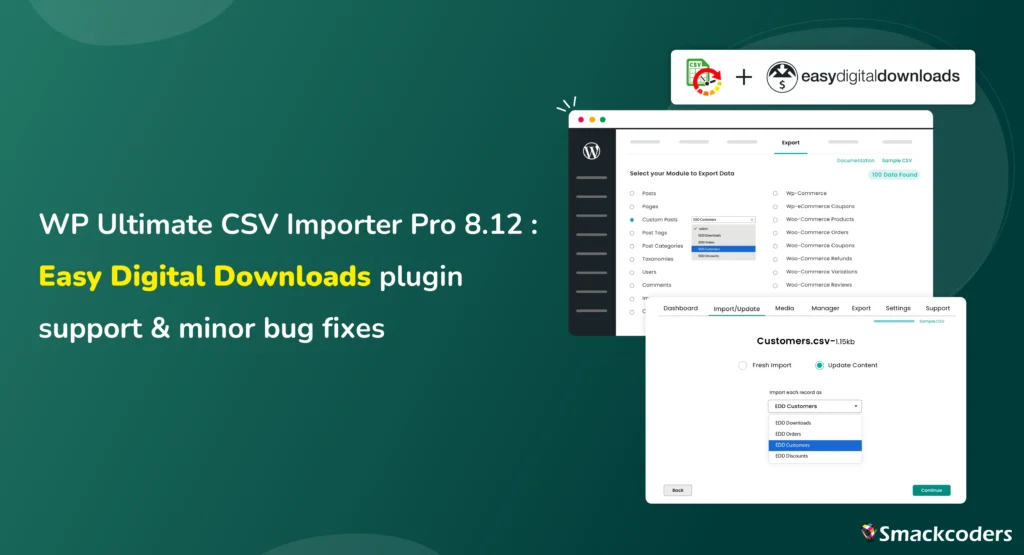
Hi, Our Beloved User Community! WP Ultimate CSV Importer Pro 8.12 is now live. This release introduces support for Easy Digital Downloads (EDD) along with a set of important bug fixes and security improvements that make everyday import and export workflows more stable and reliable.
Version 8.12 focuses on two things that matter most to growing WordPress sites:
- Expanding support for real-world eCommerce use cases
- Improving reliability across commonly used features and integrations
If you work with digital products, recurring updates, or large datasets, and EDD is your go-to plugin, this release is designed to fit seamlessly into your existing workflow.
What’s New in WP Ultimate CSV Importer Pro 8.12
Easy Digital Downloads (EDD) Import & Export Support
With version 8.12, WP Ultimate CSV Importer officially adds support for Easy Digital Downloads, one of the most widely used solutions for selling digital products on WordPress.
This is a full integration, built on the same core import and export engine that existing users rely on for WooCommerce and other data types. There are no special workflows or reduced capabilities; EDD data follows the same structured, predictable process.
Easy Digital Downloads Support — Built for Digital Product Stores
Easy Digital Downloads powers thousands of businesses selling ebooks, plugins, licenses, and other downloadable products. Managing that data at scale often requires more than manual edits or one-off scripts.
With WP Ultimate CSV Importer, EDD users can now confidently import and export their store data using structured CSV workflows.
What You Can Import and Export with EDD Integration
The EDD integration supports key store data, including:
- Downloads (Digital Products)
Import or export product details such as pricing, variable pricing, downloadable files, categories, tags, featured images, limits, expiration rules, and custom metadata. - Orders (Payments)
Manage payment records with customer information, billing details, order totals, taxes, discounts, gateways, transaction IDs, and line items. - Customers
Import and export customer profiles with purchase history, lifetime value, addresses, and notes. - Discounts
Handle discount codes with usage limits, date restrictions, product or category rules, and status.

WP Ultimate CSV Importer Pro
Get Ultimate CSV/XML Importer to import data on WordPress faster, quicker and safer.
Why This Matters for EDD Users
For many Easy Digital Downloads store owners, bulk data management is still time-consuming and error-prone. Version 8.12 removes that friction.
With WP Ultimate CSV Importer Pro, you can:
- Migrate an entire EDD store between environments
- Bulk update product pricing, files, or categories without touching the database
- Rebuild stores safely using export → modify → re-import workflows
- Generate structured data exports for reporting or analysis
- Maintain backups of critical store data
All of this works within the same familiar import steps and field mapping system, no new learning curve required.
Bug Fixes & Stability Improvements
This release also includes several important fixes that improve stability, security, and usability across the plugin:
- Fixed the UK language (lang-UK) issue
- Fixed the Google Sheet URL file upload issue
- Fixed the Manage Media uploads button issue
- Fixed File Manager “Delete All Records” button not working issue
- Fixed the jQuery vulnerability issue
- Fixed WooCommerce product export issue
These fixes address commonly reported edge cases and ensure smoother operation for both new and existing users.
Who Benefits Most from This Release
Store Owners
If you run an Easy Digital Downloads store, this release gives you structured, repeatable control over your store data, without manual edits or risky database changes.
Agencies & Freelancers
For teams handling EDD migrations, rebuilds, or client onboarding, version 8.12 simplifies bulk data handling using a single, reliable tool.
Developers
Developers working with structured eCommerce data will benefit from consistent import behavior, improved attribute handling, and cleaner exports.
Operations & Content Teams
Teams managing pricing updates, product files, discounts, or customer records can now do this in bulk with fewer errors and less effort.
Familiar Workflow, No Disruption
One of the key goals of version 8.12 was consistency. If you already use WP Ultimate CSV Importer Pro,
- The import steps remain unchanged
- Field mapping works exactly as before
- Filters, duplicate handling, logs, and scheduling behave the same
- The EDD modules appear automatically when the plugin is active
You can start using the new functionality immediately, with no retraining or setup overhead.
Documentation & Getting Started
Comprehensive documentation for the Easy Digital Downloads integration is now available, covering each module:
- Downloads Import Export
- Orders (Payments) Import Export
- Customers Import Export
- Discounts Import Export
These guides are designed to help users get started quickly, especially when working with large datasets.
How to Get WP Ultimate CSV Importer Pro 8.12
If you’re already using WP Ultimate CSV Importer Pro, visit your account on our website, log in, and download the pack. Delete the old one, install and activate the newer one on your website. Once updated, EDD options will appear automatically when the Easy Digital Downloads plugin is active.
Final Thoughts
WP Ultimate CSV Importer Pro 8.12 is a focused release to build and strengthen support for digital product businesses while improving overall stability and security. By adding Easy Digital Downloads support and addressing key issues, this version helps WordPress users manage their data with more confidence, whether they’re migrating stores, maintaining large catalogs, or handling ongoing updates. As always, your feedback continues to guide what we build next. Write to us at [email protected], and we are all ears for your feedback.
Frequently Asked Questions
1. Does WP Ultimate CSV Importer Pro support Easy Digital Downloads?
Yes. From version 8.12 onwards, WP Ultimate CSV Importer Pro supports Easy Digital Downloads. This release introduces initial support for core EDD data, laying the foundation for broader compatibility.
2. What EDD data can I import and export using WP Ultimate CSV Importer?
You can import and export:
– Digital products (downloads)
– Orders and payment records
– Customers and purchase history
– Discount codes with rules and limits
All data follows the same mapping and validation process used across the plugin.
3. Can I migrate an entire Easy Digital Downloads store using CSV Importer Pro?
Yes. You can migrate EDD products, customers, orders, and discounts between sites or environments using export → modify → import workflows, without directly touching the database.
4. Will this update affect my existing WooCommerce imports?
No. Existing WooCommerce functionality remains unchanged. Version 8.12 only adds EDD support and fixes specific issues without disrupting current workflows.
