

Table of Contents
WordPress is one of the most search-engine-friendly platforms ever built. Most WordPress sites are not. That gap comes down to one thing: configuration.
The platform ships with everything Google needs to rank your content, semantic HTML, fully customizable URLs, a plugin ecosystem that rivals what enterprise CMS platforms charge tens of thousands of dollars for. But it also ships with a visibility setting that actively tells Google to stay away, a permalink structure that communicates nothing about your content, and no XML sitemap whatsoever. None of these are bugs. They’re appropriate defaults for a platform installed in every context imaginable. But they will silently suppress your traffic until you fix them.
In 2026, that fix matters more than ever. Google’s AI Overviews pull answers from well-structured, trustworthy pages before a user clicks anything. Perplexity and ChatGPT cite sources they consider authoritative, not just keyword-rich. The sites collecting organic traffic in this environment are the ones where every SEO decision has been made deliberately.
This guide covers all of them: the technical settings inside WordPress that form the foundation, the plugins that give you precise optimization control, and the content structures that position your pages to rank in traditional search and surface across every AI-powered discovery channel your audience is already using.
What you’ll walk away with:
- The exact WordPress settings that most site owners never touch, and how to fix them in under 10 minutes
- A clear comparison of the top SEO plugins in 2026, with a recommendation based on your site type
- The content and structural signals that determine whether AI engines cite your page or skip it
Why WordPress SEO Hits Differently in 2026:
The SEO playbook has shifted, and not in a minor way.
Google’s AI Overviews now answer questions directly at the top of search results, before a single blue link appears. For WordPress site owners, this means a page can rank in position one and still lose the click, because the AI pulled its answer from a competitor’s better-structured content instead. The pages getting cited in AI Overviews share three characteristics: they answer questions directly in the first sentence under each heading, they’re built on sites Google already considers trustworthy, and they use clear content hierarchies that AI crawlers can parse without ambiguity.
Traditional SEO optimized for the click. In 2026, you’re also optimizing for the citation.
Generative tools like Perplexity and ChatGPT work the same way. When a user asks “what’s the best WordPress SEO plugin,” these tools pull from pages that make a clear, direct recommendation, not pages that hedge with “it depends on your situation.” Specificity is now a ranking signal in ways it never was before.
Zero-click searches are eating into click-through rates on informational queries, but this isn’t a reason to deprioritize SEO. It’s a reason to optimize more precisely. A page that gets cited as a source in an AI Overview still drives brand recognition, direct traffic, and secondary clicks, often more valuable than a traditional position-three ranking that users scroll past.
WordPress powers over 43% of the internet, which means your competition on any given keyword is substantial. The differentiator in 2026 isn’t more content, it’s more deliberately structured content that answers questions directly, signals genuine authority, and gives both search engines and AI crawlers exactly what they need to confidently surface your pages.
Essential WordPress SEO Techniques That Actually Move the Needle:
1. Check Your WordPress Visibility Setting First:
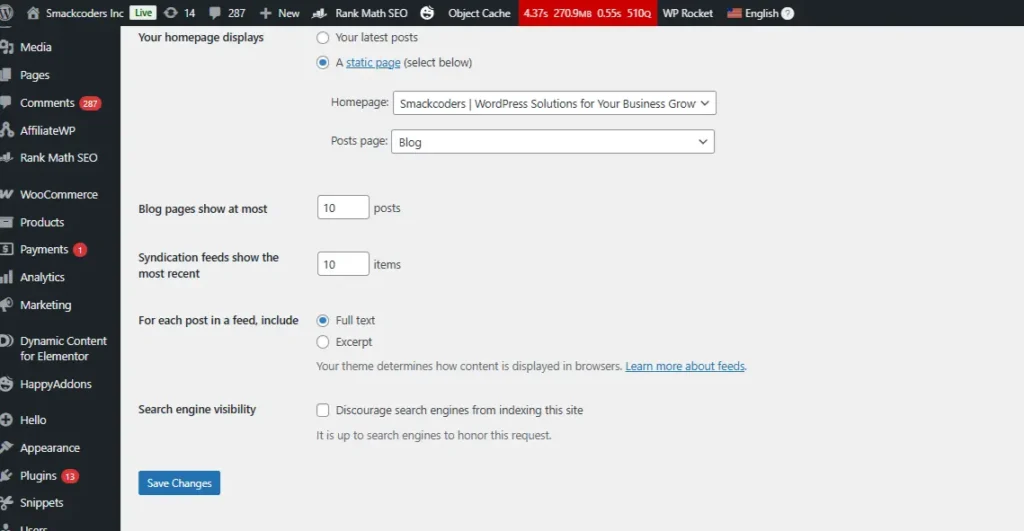
Before you write a word of content or configure a single plugin – check this. WordPress ships with a built-in feature designed for developers working on sites in a staging environment. It fires a noindex signal directly at Google that translates to one clear message: don’t crawl this site yet.
That’s intentional during development. The problem is that a surprising number of site owners launch their sites without ever flipping this switch back off. Meanwhile, they’re publishing content, building links, and wondering why nothing appears in Google Search Console.
How to do it: Go to WordPress dashboard → Settings → Reading → confirm “Discourage search engines from indexing this site” is unchecked → Save changes.
2. Lock In Your Preferred Domain Format:
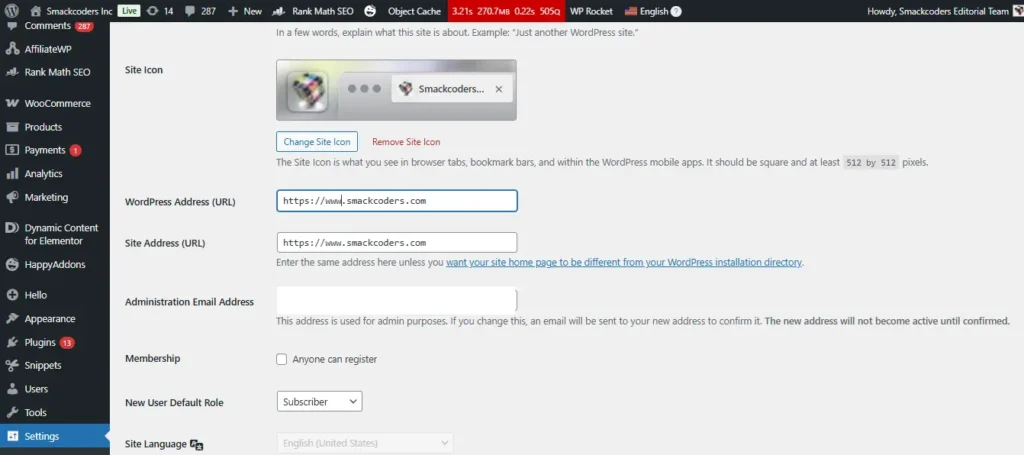
Google treats yoursite.com and www.yoursite.com as two completely separate URLs. If both versions load without a redirect, your backlink authority and crawl signals get split between two addresses – neither of which builds enough strength to rank well.
How to do it: Go to Settings → General. Set both the WordPress Address (URL) and Site Address (URL) to whichever version you prefer with or without www. Stick with that version on every external platform: Search Console, Bing Webmaster Tools, and every link you control.
3. Set a Clean Permalink Structure:
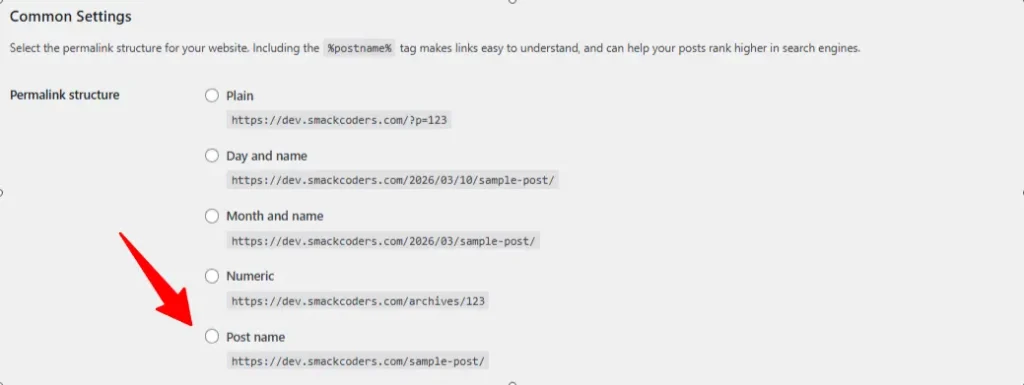
Your URL is the first signal Google reads when it crawls a page. A URL like yoursite.com/?p=143 tells a search engine absolutely nothing. A URL like yoursite.com/wordpress-seo-guide tells it exactly what the page covers and it communicates the same clarity to your reader before they click.
How to do it: Go to Settings → Permalinks → Select “Post Name” → Click Save Changes.
4. Use Categories and Tags Strategically, Not Just as Labels:
Categories and tags aren’t organizational fluff, they’re the architecture that tells search engines what your site is structurally about and which topics you own with depth.
Categories are the broad chapters of your site. A WordPress-focused blog might have categories like SEO, Plugins, Performance, Security, and Themes. Every post should belong to exactly one primary category. Multiple categories on a single post splits its topical signal across two archive pages, diluting both.
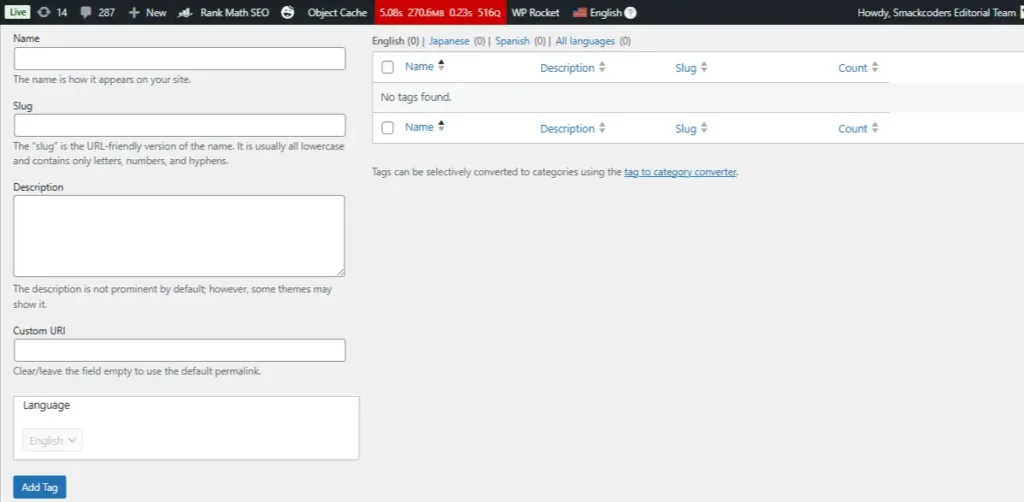
Tags are the granular connective tissue between posts. A post on WordPress SEO plugins might carry tags like Yoast SEO, Rank Math, and on-page optimization. The SEO rule with tags: only create a tag you’ll use on at least three posts. A tag applied to a single post creates an orphaned archive page, a URL with one piece of content that earns no links, ranks for nothing, and wastes crawl budget Google could spend on your real content.
The larger risk most site owners miss: WordPress automatically generates a public archive page for every category and tag you create. If those archive pages are thin, duplicate-content-heavy, or poorly linked, they become a drag on your whole domain’s authority, not just the archive itself.
How to do it: Go to Posts → Categories to create and manage categories.
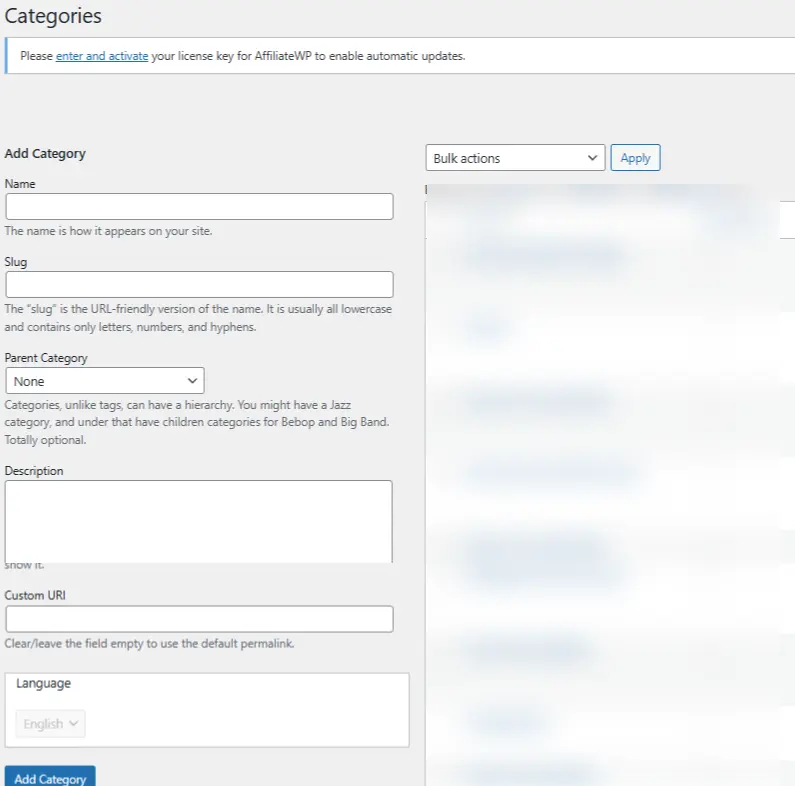
Go to Posts → Tags to manage tags. Apply tags only when they’ll be reused across at least three posts.
5. Turn On Manual Comment Approval:
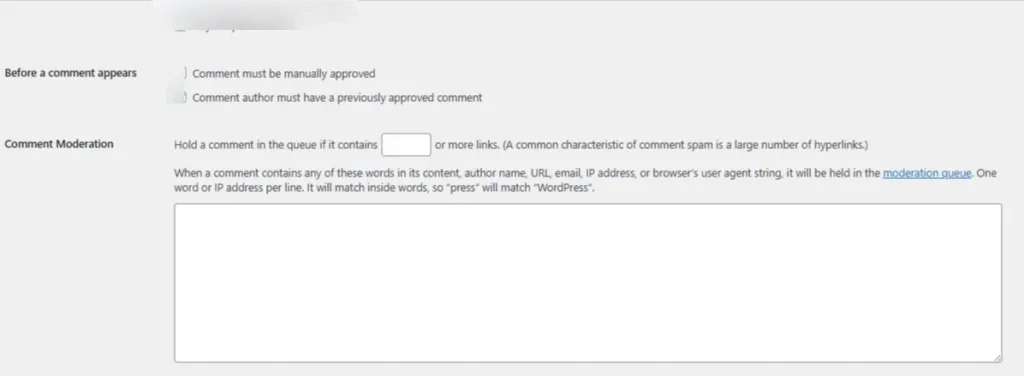
Spam comments are a quiet SEO liability. A comment section full of links to unrelated sites or keyword-stuffed anchor text sends a trust signal to Google that you’re not curating your own site’s environment and trust is a core component of EEAT.
The flip side is worth noting: genuine comment conversations you actively respond to are a positive EEAT signal. They show Google that real people engage with your content and that you’re present enough to respond.
How to do it: Go to Settings → Discussion → Check “Comment must be manually approved.”
6. Install a WordPress SEO Plugin and Actually Use It:
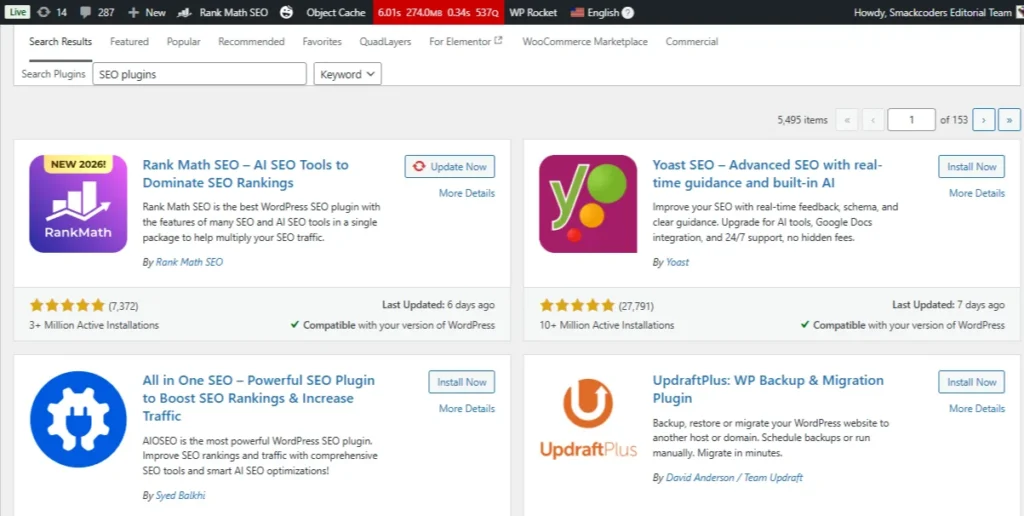
An SEO plugin won’t rank your site by itself – but it surfaces controls that WordPress keeps hidden by default. Think of it as the cockpit instrumentation for your site. The plane flies without it, but you’re operating blind on everything that matters: meta tags, canonical URLs, schema markup, sitemap generation, breadcrumbs.
How to do it: Go to Plugins → Add New → Search for your chosen plugin → Click Install Now → Activate.
7. Submit an XML Sitemap to Google:
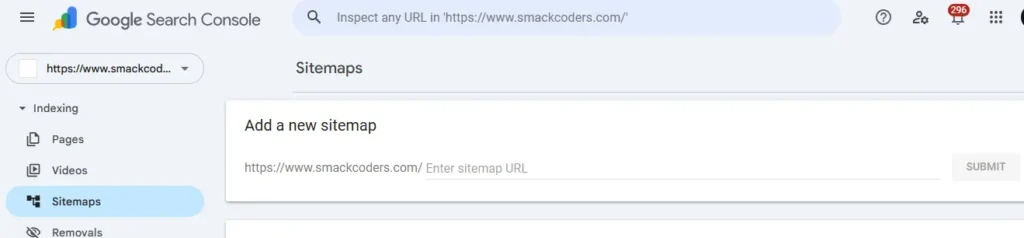
Your XML sitemap is the most direct communication channel you have with Google’s crawlers. It lists every URL you want indexed, signals how frequently your content updates, and helps search engines allocate crawl resources efficiently, which matters on larger sites where newly published pages can sit undiscovered for weeks.
What most site owners don’t realize is that WordPress generates no sitemap by default. Without one, Google reverse-engineers your site structure through internal links alone, a slower, less reliable process that delays indexing and leaves your newest content invisible longer than it needs to be.
A properly configured sitemap, submitted through Google Search Console, eliminates that guesswork. In 2026, it also signals your site’s structure to the AI crawlers powering Google’s AI Overviews, Perplexity, and other discovery engines your audience is already using, making it one of the few technical SEO steps that simultaneously improves traditional rankings and generative engine visibility.
Most SEO plugins generate your sitemap automatically. For Yoast, it lives at yoursite.com/sitemap_index.xml. For Rank Math, it’s at yoursite.com/sitemap.xml.
How to do it: Open Google Search Console → Sitemaps → Paste your sitemap URL → Click Submit.
8. Build Internal Links Like a Web, Not a Hierarchy:
Internal linking is one of the highest-leverage, zero-cost SEO activities available on any WordPress site. Every time you link from one post to another, you’re simultaneously helping readers explore more of your content and distributing link equity – ranking authority between your own pages.
A simple system that scales: every time you publish a new post, go back to three to five older posts on related topics and add a contextual link pointing to the new article. Over time this builds a content cluster – an interconnected network of pages that collectively signal to Google that your site covers a topic in depth.
How to do it: In the WordPress block editor, highlight relevant anchor text → Click the link icon → Search for and select an internal page or post.
9. Optimize Every Image Before It Enters Your Media Library:
Every unoptimized image on your WordPress site functions as a quiet tax on your page speed. A 3.5MB hero image that takes seven seconds to load doesn’t just frustrate visitors, it pushes them back to google before they’ve read your first paragraph. Page speed is a confirmed ranking factor, and in 2026, Google’s Core Web Vitals assessment weighs Largest Contentful Paint (LCP) heavily. Your hero image is almost always the LCP element.
How to do it: Use WebP format for all images. Resize to actual display width before uploading. Use a plugin like ShortPixel or Imagify for automatic compression. Write descriptive alt text on every image.
10. Enable HTTPS – SSL Is Non-Negotiable in 2026:
A site still running on HTTP in 2026 isn’t just losing an SEO signal, it’s actively driving visitors away before your content loads. Chrome, Firefox, and Safari display “Not Secure” warnings on HTTP sites that destroy user trust at the exact moment you’re trying to earn it.
SSL encrypts the connection between your server and your visitors, and protects data like form submissions and login credentials. Most modern WordPress hosts, including SiteGround, WP Engine, Bluehost, and Kinsta, provide free SSL certificates through Let’s Encrypt, often activated with a single click from your hosting dashboard.
How to do it: Enable SSL via your hosting panel → Update WordPress Address and Site Address to https:// in Settings → General → Verify the padlock icon appears in your browser address bar.
After you enable SSL, check these three things before moving on:
Switching to HTTPS is a one-way migration and most of the problems happen after the switch, not during it.
First, check for mixed content warnings. If your pages still load images, scripts, or stylesheets over http://, browsers will flag the page as insecure even with SSL active. Install the Better Search Replace plugin and run a find-and-replace from http://yoursite.com to https://yoursite.com across your database to catch these in bulk.
Second, update your internal links. Any hardcoded http:// links inside your posts and pages won’t redirect automatically on every server configuration. The same Better Search Replace pass handles this simultaneously.
Third, resubmit your sitemap in Google Search Console under the https:// property. Google treats http:// and https:// as separate sites, your SSL switch effectively creates a new property from Google’s perspective. Add the https:// version in Search Console, verify ownership, and resubmit your sitemap so Google begins crawling the correct version of your site immediately.
BONUS: CORE WEB VITALS – THE 2026 RANKING SIGNAL YOU NEED TO KNOW:
Core Web Vitals have been a Google ranking factor since 2021. That’s not new. What’s still surprising is how many WordPress site owners have never checked their scores – partly because the names sound intimidating, partly because the fixes get assumed to be complex. For most WordPress sites, they’re not.
Three metrics. Each one measures something specific about how your page actually feels to a real user on a real device:
- LCP – Largest Contentful Paint: (Target: 2.5s or under)
How long it takes your biggest visible element to fully load.
Fix: compress images, use a CDN. - CLS – Cumulative Layout Shift: (Target: 0.1 or under)
Whether the page jumps around while loading.
Fix: set image dimensions, avoid late-loading content that shifts layout. - INP – Interaction to Next Paint: (Target: 200ms or under)
How fast the page respond when someone clicks or taps.
Fix: defer non-critical JavaScript.
CHECK YOUR SCORES – IT’S FREE:
Run your URL through PageSpeed Insights at pagespeed.web.dev. It shows your score, flags what’s dragging it down, and gives a prioritized fix list. WP Rocket, LiteSpeed Cache, or W3 Total Cache resolve the majority of what gets flagged on most WordPress sites.
WordPress SEO Plugin Comparison – 2026
Before the detailed breakdowns, here’s a side-by-side comparison of every major WordPress SEO plugins in 2026 – so you can make the right call for your site at a glance.
| Plugin | Best for | Free | Premium |
| Yoast SEO | Beginners & heavy content blogs | Yes | $118.80/year |
| Rank Math SEO | Intermediate to advanced users wanting pro features free | Yes | $107.88/year |
| All In One SEO | Business sites, local SEO & WooCommerce stores | Yes | $49.60/year |
| The SEO Framework | Developers & critical performance sites | Yes | $84/year(Extension Pack) |
| SEOPress | Budget-conscious owners wanting full feature set | Yes | $49/year |
| Site Kit by Google | Site owners fully invested in Google’s ecosystem | Yes | Free |
Best WordPress SEO Plugins in 2026 – Detailed Breakdown:
Choosing the right SEO plugin comes down to what kind of site you’re running and how much configuration you want to manage manually. Here’s an honest breakdown of what each major plugin is genuinely good at.
1. Yoast SEO – Best for: Beginners & content-heavy blogs
Real-time content + readability analysis, traffic light scoring, automatic canonical tags, breadcrumb support, XML sitemap generation
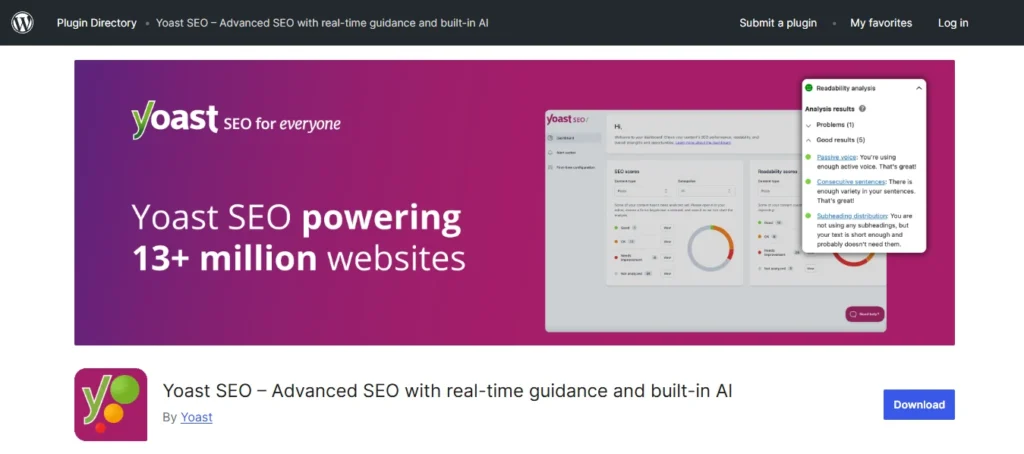
Installs: 10M+ · Rating: 4.8/5 · Premium: $118.80/year
2. Rank Math SEO – Best for: Intermediate – advanced users wanting pro features free
Multi-keyword tracking (free), Search Console data inside dashboard, 404 monitoring, granular schema builder, automated image SEO
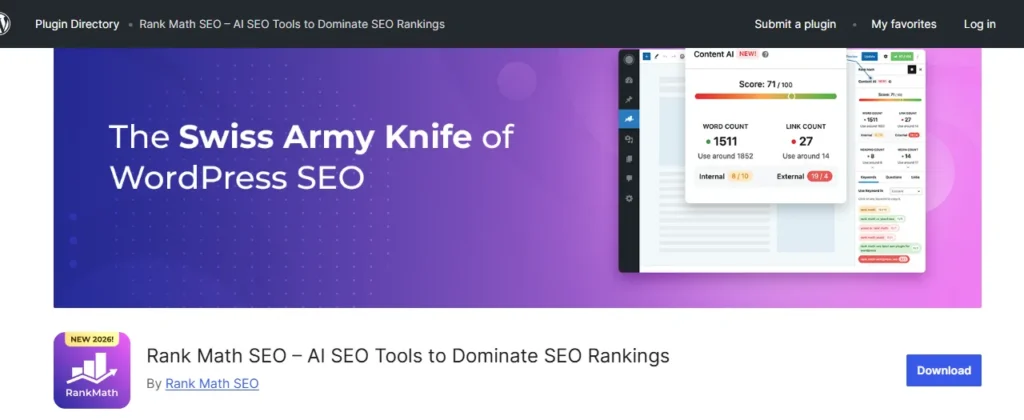
Installs: 2M+ · Rating: 4.9/5 · Premium: $107.88/year
3. All In One SEO – Best for: Business sites, local SEO & WooCommerce stores
Smart schema markup, local SEO module, WooCommerce product schema, Link Assistant for internal linking, TruSEO on-page scoring
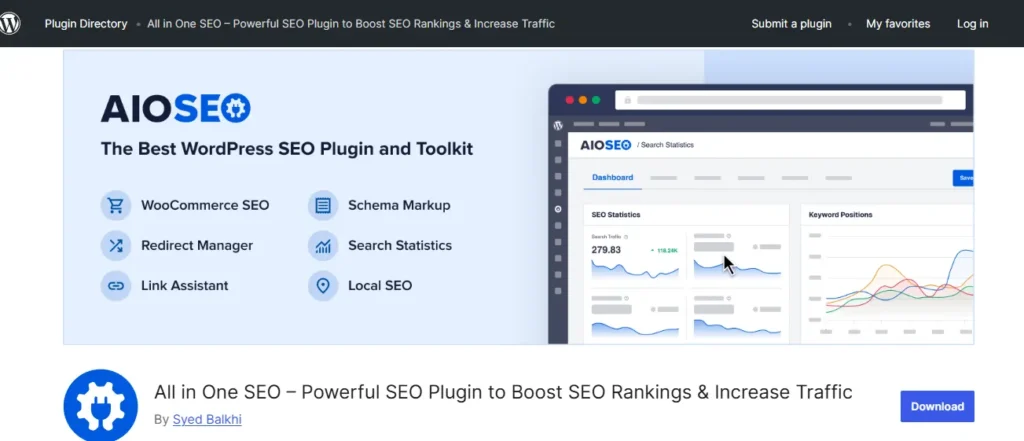
Installs: 3M+ · Rating: 4.7/5 · Premium: $49.60/year
4. The SEO Framework – Best for: Developers & performance-critical sites
Zero database bloat, fully automated technical SEO, no configuration required for basics, conflict-free with page builders
Installs: 100K+ · Rating: 4.9/5 · Premium: $84/year (Extension Pack)
5. SEOPress – Best for: Budget-conscious owners wanting full features
Unlimited content analysis, social media meta tags, Google Analytics integration, 301 redirects, white-label option for agencies
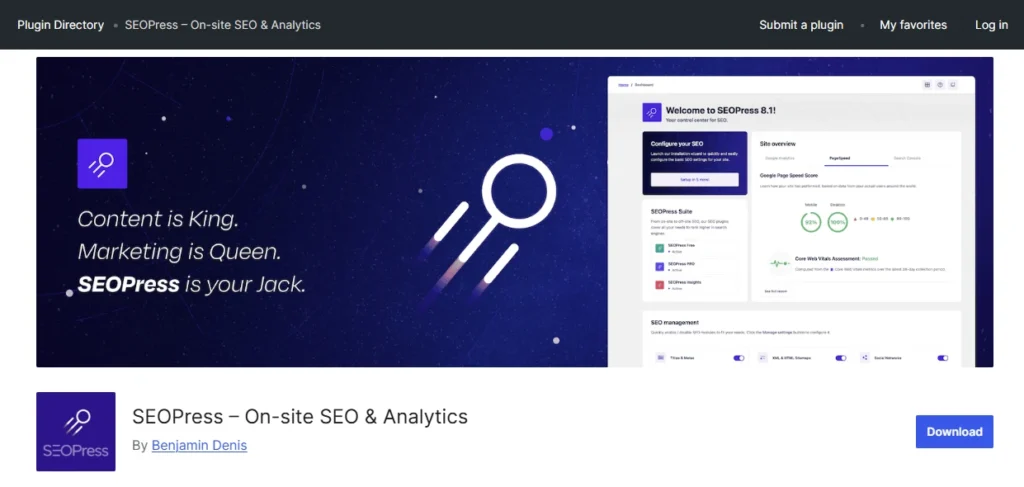
Installs: 300K+ · Rating: 4.8/5 · Premium: $49/year
6. Site Kit by Google – Best for: Site owners deep in Google’s ecosystem
First-party data from GA4, Search Console, PageSpeed Insights & AdSense – all inside WordPress dashboard. No third-party data aggregation.
Installs: 3M+ · Rating: 4.6/5 · Premium: Free
Frequently Asked Questions:
1. What is SEO for WordPress?
WordPress SEO is the process of configuring your site so search engines can read, understand, and rank it. It covers URL structure, internal linking, meta tags, XML sitemaps, and page speed, all of which WordPress lets you control without touching a line of code.
2. Can WordPress be used for SEO?
Yes, WordPress is one of the strongest platforms for SEO. Its clean code output, fully customizable URL structure, and plugin ecosystem make it the platform of choice for high-traffic publishers and global brands that need serious organic growth at any scale.
3. Is WordPress SEO free?
Yes. WordPress’s built-in settings cover the fundamentals, and free versions of Rank Math and Yoast SEO handle everything else most sites need. Paid plans unlock advanced features, but a well-configured free setup is enough to rank competitively.
4. Which SEO plugin is best for WordPress?
Rank Math is the best starting point for most sites, it offers more features in the free version than any competitor. Yoast suits beginners who want live writing feedback. All In One SEO is the strongest choice for WooCommerce stores and local businesses.
5. Is WordPress SEO worth it?
Yes, and the results compound in a way most marketing channels don’t. Content you optimize today can generate traffic for years without additional spend. As AI search tools increasingly surface answers from trusted, well-structured pages, getting your WordPress SEO right means showing up not just in Google but everywhere your audience is looking.
You now have everything a WordPress site needs to compete in 2026, not just in traditional search, but across every AI-powered discovery channel your audience is already using.
Most WordPress sites stay invisible not because the content is bad, but because the foundation was never properly configured. The visibility setting nobody checks. The permalink structure nobody changes. The sitemap nobody submits. Small oversights that quietly suppress every piece of content published on top of them.
The sites collecting consistent organic traffic in 2026 aren’t the ones that published the most. They’re the ones that built correctly first, then published on top of something solid. You’ve done the reading. Now go build it.
