
In 2026, the top WordPress security plugins worth using are Wordfence, Sucuri, Solid Security, AIOS, and MalCare. Each covers the four core protection layers: firewall, malware scanning, login security, and real-time threat detection. For most sites, Wordfence Free is the strongest starting point. For e-commerce or previously hacked sites, Sucuri or MalCare Premium is the better choice.
Over 43% of all websites run on WordPress, and that popularity makes it the number one target for automated bots scanning for outdated plugins, exposed login pages, and misconfigured settings. If your site is live right now, it is actively being probed.
The reassuring part: solid protection does not demand technical expertise. It demands the right tools, configured correctly. This guide covers exactly what hardening means, which features matter, and which plugins consistently deliver results in 2026.
What Does Hardening a WordPress Site Mean?
Hardening means reducing your site’s attack surface by eliminating vulnerabilities, restricting unnecessary access, and stacking multiple defensive layers so that when one fails, the rest hold. A truly hardened WordPress site addresses six core areas:
- Server-level protection for secure hosting environments and PHP configurations
- Application-level security keeping core, themes, and plugins current
- Authentication security, strong passwords, 2FA, and login restrictions
- Traffic filtering with a WAF blocking malicious requests upstream
- Data integrity, malware scans, and file monitoring, catching unauthorized changes
- Backup and recovery, automated backups enabling fast restoration after any incident
Key Features to Look for in a WordPress Security Plugin
Firewall Protection (WAF)
A Web Application Firewall sits between your site and all incoming traffic, analyzing each request against known attack patterns, such as SQL injections, cross-site scripting (XSS), and bot floods. Look for plugins offering both cloud-based and endpoint firewalls for full coverage.
Malware Scanning and Removal
Scheduled scans check core files, themes, plugins, and the database against known malware signatures. Premium plugins typically add one-click removal. Never rely on a plugin that only supports manual scanning.
Login Security and Brute Force Protection
Bots cycle through thousands of username-password combinations automatically. Effective plugins counter this with login attempt limits, CAPTCHA, two-factor authentication (2FA), and IP-based blocking.
Real-Time Threat Detection
Threat intelligence must update continuously. Look for plugins that pull live data from a global threat network and push firewall rule updates automatically no manual action required.
Backup Integration
No security system is absolute. A plugin that integrates backup functionality means you can restore a clean version within minutes. For a full backup solution, see our guide on Best WordPress Backup Plugins 2026.
Best WordPress Security Plugins in 2026
Here is a quick comparison of the top plugins before we dive into the details:
| Plugin | Free WAF | Malware Scan | Brute Force | Price/yr | Link |
| Wordfence | Yes | Yes | Yes | $119+ | Visit → |
| Sucuri | Yes | Yes | Yes | $199+ | Visit → |
| Solid Security | Yes | Yes | Yes | $99+ | Visit → |
| AIOS | Yes | Yes | Yes | Free / $70+ | Visit →\ |
| MalCare | Yes | Yes | Yes | $99+ | Visit → |
1. Wordfence Security
Official site: Wordfence Security
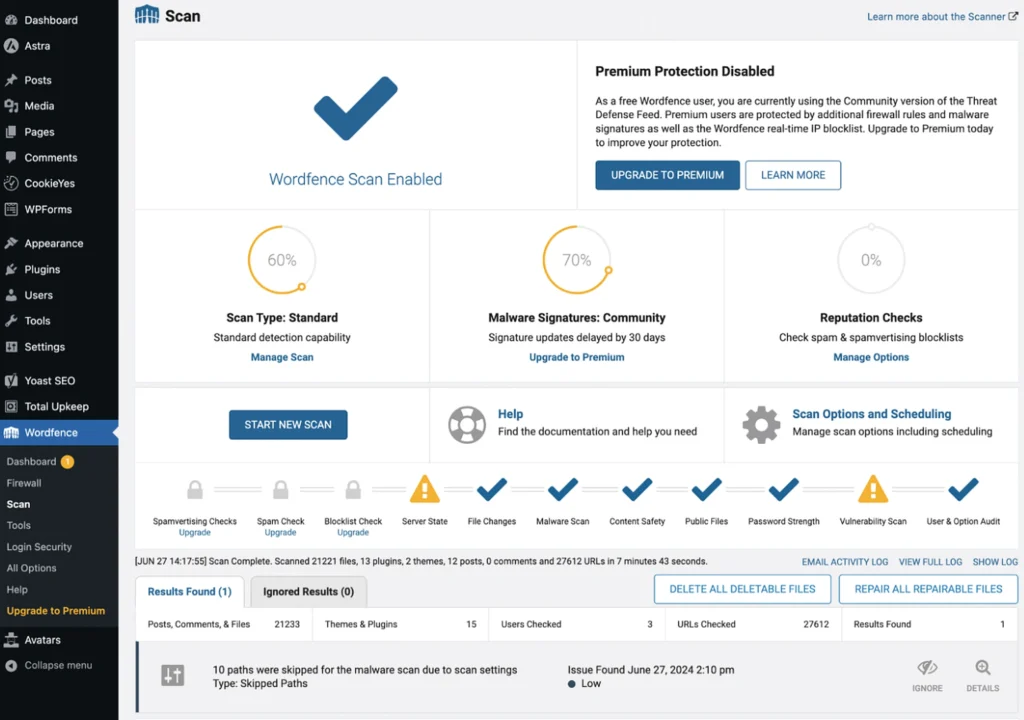
With more than 5 million active installs, Wordfence is the most widely trusted WordPress security plugin available.
Key Features
Its firewall and malware scanner run directly inside WordPress, giving it application-level visibility that external, cloud-only solutions cannot replicate. The free version includes real-time traffic monitoring, brute-force protection, a functional firewall, and malware scanning at zero cost.
Pricing
The premium plan ($119/year) removes the 30-day delay on firewall rule updates, adds a live IP blocklist, and enables country-level blocking advantages that become critical during active zero-day attack windows.
Best for: Mid-to-large WordPress sites needing deep, integrated protection with a capable free starting point.
2. Sucuri Security
Official site: Sucuri Security
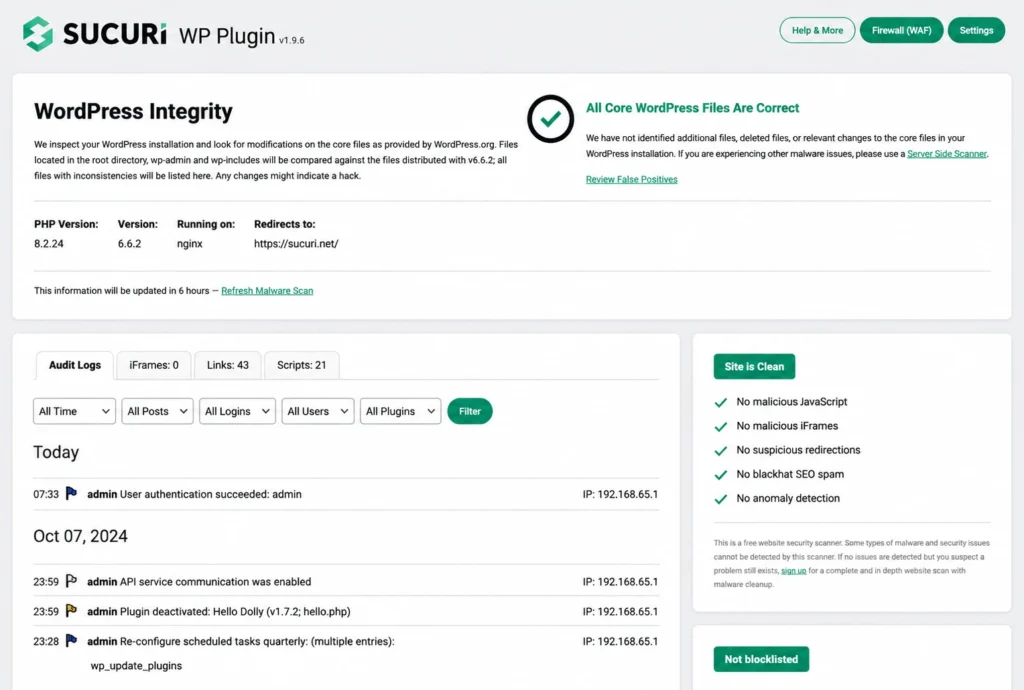
Sucuri’s cloud-first architecture sets it apart. Every request passes through Sucuri’s global network before reaching your server, absorbing DDoS floods and neutralizing volumetric threats at the edge – long before they touch your hosting.
Key Features
The free plugin covers file integrity monitoring, blacklist tracking, and post-hack hardening steps. Sucuri’s own security team handles cleanup if your site is ever compromised.
Pricing
Paid plans from $199/year add the full cloud WAF, CDN-driven performance improvements, and SLA-backed malware removal.
Best for: eCommerce stores and business sites requiring enterprise-grade threat absorption and guaranteed incident response.
Wordfence vs Sucuri: Which Is Better?
Wordfence runs on your server and delivers deeper WordPress-level visibility, the right choice for sites that need granular control and application-layer insight. Sucuri operates at the network edge, intercepting threats before they reach your server better suited for high-traffic stores or sites that have experienced a previous breach. Both are excellent; your hosting environment and traffic volume usually determine the stronger fit.
3. Solid Security (formerly iThemes Security)
Official site: Solid Security (formerly iThemes Security)
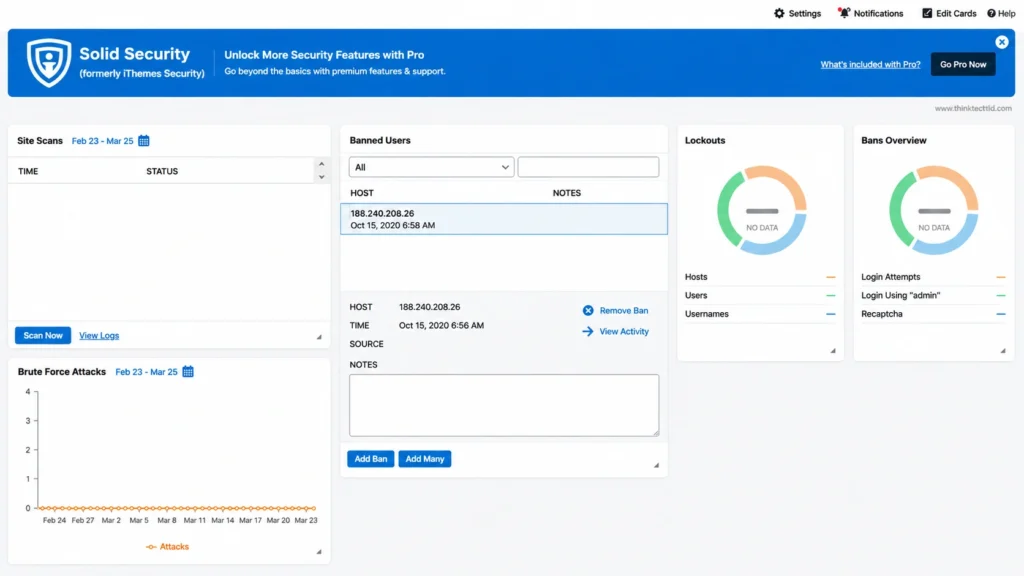
Now fully rebranded as Solid Security, this plugin was built with a single goal, making WordPress hardening accessible to everyone. Its dashboard scans your specific installation, flags vulnerabilities, and walks you through each fix in plain language – no security background required.
Key Features
Core features include two-factor authentication, shared brute-force network protection, and file change detection.
Pricing
The Pro plan ($99/year) layers on reCAPTCHA, magic link logins, password expiration enforcement, and automated scheduled scans.
Best for: Small business owners and bloggers who want a guided, beginner-friendly setup without sacrificing meaningful protection.
4. All In One WP Security & Firewall (AIOS)
Official site: All In One WP Security & Firewall (AIOS)
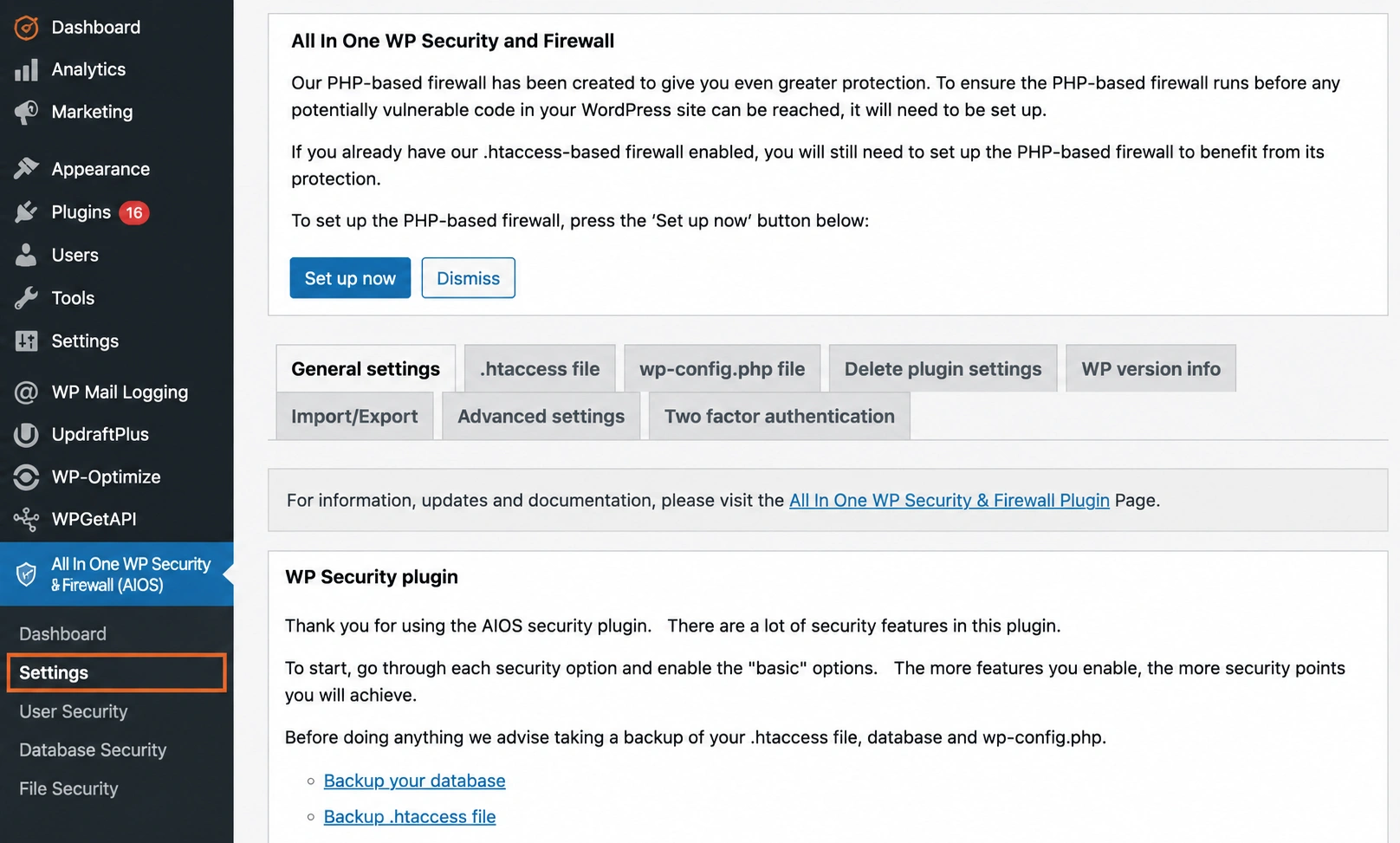
AIOS shows that strong WordPress security is achievable without spending a single dollar.
Key Features
The free version delivers login lockdown, user account auditing, database hardening, file system protection, and a basic WAF – a feature set that rivals paid entry-level plugins.The built-in security strength meter gives your site a protection score and tells you precisely what to fix next – making security tangible instead of overwhelming.
Pricing
Advanced features are unlockable through a paid add-on at $70/year.
Best for: Personal blogs, portfolios, and small sites that need solid baseline protection at no cost.
5. MalCare Security
Official site: MalCare Security
MalCare was built specifically to catch malware that traditional signature-based scanners consistently miss.
Key Features
Its cloud engine evaluates over 100 behavioral signals per file, enabling it to catch new, obfuscated, and zero-day malware variants that local scanners miss. Because all scanning runs on MalCare’s external infrastructure, your server performance stays completely unaffected.
Pricing
The free plan includes unlimited scans. Paid plans from $99/year add one-click removal, a WAF, bot protection, and multi-site management.
Best for: Sites with a history of infection, high-traffic platforms handling sensitive data, and agencies managing multiple client sites.
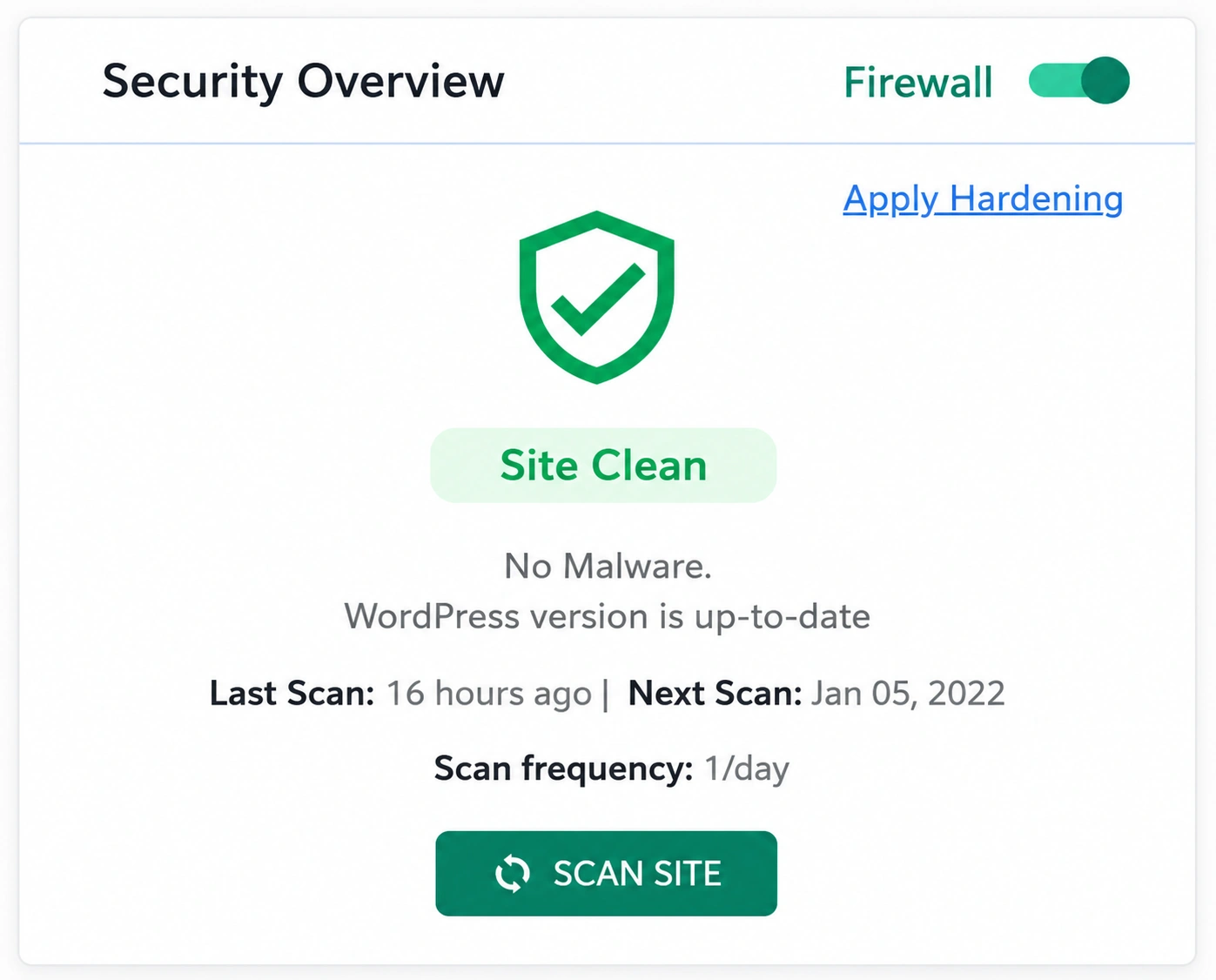
Free vs Premium Security Plugins
What Free Versions Deliver
Free security plugins have matured significantly. When set up correctly, a free plugin is capable of blocking most threats that target an average WordPress site. Free tiers generally include basic firewall rules, login lockdown, file integrity monitoring, hardening recommendations, and email alerts. For personal blogs, hobby projects, and low-traffic informational sites, a free plugin combined with secure hosting and regular updates is often sufficient.
Why Premium Is Worth It for Business Sites
For any site collecting customer data, processing payments, or generating revenue, upgrading is a business decision, not a luxury. Here is what premium unlocks:
- Real-time firewall rules – Wordfence Free users get rule updates 30 days behind premium subscribers. That delay is dangerous during active zero-day attack windows. That gap is critical during active zero-day windows.
- Guaranteed malware removal – Sucuri and MalCare premium plans bring in security professionals to handle cleanup directly.
- Advanced threat intelligence – global IP reputation databases identify and block known attackers before a single request gets through.
- Priority support – when your site is actively under attack, a forum response that takes days is not a viable option.
- Compliance tooling – meeting GDPR, PCI-DSS, and HIPAA standards requires detailed audit logs that free tiers simply don’t offer.
How to Choose the Right WordPress Security Plugin for Your Site Type
Not every plugin suits every site. Here is a quick decision guide:
| Site Type | Recommended Plugin |
| Personal blog/portfolio | AIOS (free) or Solid Security |
| Small business website | Wordfence free + managed hosting |
| eCommerce (WooCommerce) | Sucuri or MalCare Premium |
| High-traffic news or media | Sucuri or Wordfence Premium |
| Agency managing multiple sites | MalCare multi-site or Wordfence Central |
Performance Impact Considerations
Endpoint scanners like Wordfence process everything on your own server, which can push CPU usage up significantly during active scans. Schedule scans during off-peak hours (2–5 AM is typical) or switch to cloud-based solutions like Sucuri or MalCare that process externally. Before pushing anything to your live site, run it through a staging environment first. Track your Core Web Vitals in Google PageSpeed Insights both before and after the installation to catch any performance drops early.
Ease of Use
Any security plugin you don’t fully understand is one you’re likely to set up wrong. Prioritize plugins with clear dashboards, guided setup wizards, and plain-language alerts. Solid Security and AIOS excel here. Wordfence and Sucuri have steeper learning curves but offer far more granular control for power users.
WordPress Site Hardening in 2026: Steps That Go Beyond Just Installing a Plugin
Keep Everything Updated
Outdated plugins and themes are the most common entry point for attackers – updating them consistently is the highest-impact habit you can build. Turn on automatic updates for minor core releases and go through your plugin list regularly to remove anything unused or abandoned. Anything abandoned or unused should be removed immediately. See our full guide on WordPress maintenance best practices.
Enforce Strong Passwords and Two-Factor Authentication
Weak passwords are still the easiest attack vector available. Use your security plugin to set strict password requirements and make 2FA mandatory for every account with admin access. Apps like Google Authenticator or Authy generate time-based one-time passwords (TOTP) that make brute-force attacks practically impossible.
Limit Login Attempts
By default, WordPress puts no cap on how many times someone can attempt to log in – which brute-force bots exploit instantly. Set a hard limit of three to five failed attempts, apply progressive lockout periods, and permanently block IPs that keep failing.
Disable the File Editor
WordPress ships with a built-in code editor for themes and plugins sitting right inside the admin panel. In the wrong hands, it becomes an instant code injection point. To shut it off completely, drop this line into your wp-config.php file:
define(‘DISALLOW_FILE_EDIT’, true);
Choose Secure Hosting
The protection your plugin provides is only as solid as the hosting environment running beneath it. Managed hosts like Kinsta, WP Engine, and SiteGround layer in server-level firewalls, built-in malware scanning, account isolation, and free SSL – all working alongside your security plugin rather than overlapping with it.
Common WordPress Security Mistakes to Avoid in 2026
- Setting “admin” as your username – it’s the very first login name every automated attack tool tries. Create a custom admin username and delete the default account.
- Ignoring security alerts and dismissing notifications without investigation is how small issues become catastrophic breaches.
- Running multiple security plugins with two active firewalls conflicts with each other, creating gaps or crashing the site. Choose one comprehensive plugin.
- Never test backups an untested backup may not restore. Run quarterly restore tests to verify they work.
- Skipping the staging environment testing major updates on a live production site introduces both security and stability risks.
- Leaving the default database prefix, the default wp_ prefix is specifically targeted by SQL injection attacks. Change it during installation.
- Leaving XML-RPC turned on – switch it off completely unless you genuinely need it for remote publishing access. It is a consistent target for brute-force and DDoS amplification attacks.
Conclusion
WordPress security in 2026 works best as a system – firewall, malware scanning, login controls, and consistent updates stacked together. No single plugin does it all. The right combination, maintained consistently, is what actually keeps your site safe.
| Need Expert WordPress Security Help? Not sure which plugin fits your site? The Smackcoders team handles WordPress security setup, hardening, and ongoing monitoring. Get a Free Security Consultation → Or email us directly: [email protected] |
1. Do you need multiple WordPress security plugins on one website?
Using more than one full-featured WordPress security plugin is usually not recommended. Multiple firewalls and scanning systems can conflict with each other, increase server usage, and create unnecessary complexity. Most website owners will get better results by choosing a single trusted security plugin that includes firewall protection, malware scanning, login security, and monitoring features. A separate backup plugin can still be used alongside it safely.
2. Can WordPress security plugins affect website speed?
Some security plugins may increase server resource usage, especially plugins that perform real-time scans directly on the hosting server. On high-traffic websites, scheduled scans and live traffic monitoring can temporarily impact loading speed. Cloud-based solutions such as Sucuri and MalCare reduce this issue by processing security checks on external servers instead of using local hosting resources.
3. Are free WordPress security plugins good enough for beginners?
Free WordPress security plugins can provide solid protection for personal blogs, portfolio websites, and smaller informational sites. Many free versions include important features like brute-force protection, firewall rules, malware detection, and login security. However, websites handling customer information, online payments, or sensitive business data often benefit from premium security features such as real-time threat intelligence, advanced malware cleanup, and priority support.
4. How frequently should a WordPress website be scanned for malware?
Regular malware scanning helps identify suspicious files and vulnerabilities before they become major security problems. For standard websites, running a complete scan once every week is generally recommended. Websites with heavy traffic, membership systems, or eCommerce functionality should ideally use daily automated scans and monitor security alerts continuously after updates or plugin installations.
5. Which security plugin is more suitable for WordPress websites: Wordfence or Sucuri?
Both Wordfence and Sucuri are respected WordPress security solutions, but they are designed for slightly different needs. Wordfence works directly inside WordPress and provides detailed visibility into login activity, malware scans, and firewall events. Sucuri focuses more on cloud-based protection by filtering malicious traffic before it reaches the server, making it especially useful for high-traffic websites and online stores. The better option usually depends on website size, traffic levels, and hosting setup.
6. Which free WordPress security plugin offers the best protection in 2026?
Wordfence remains one of the most widely used free WordPress security plugins because it includes firewall protection, malware scanning, brute-force defense, and traffic monitoring without requiring a paid plan. All In One WP Security & Firewall is another beginner-friendly option that simplifies website hardening with guided recommendations and visual security scoring.
7. Does WordPress include built-in security protection?
WordPress itself includes several core security measures, including password management, user role permissions, and regular software updates. However, it does not include advanced features such as malware scanning, web application firewalls, or two-factor authentication by default. Installing a dedicated WordPress security plugin adds additional protection layers that help defend websites against modern threats and automated attacks.
