
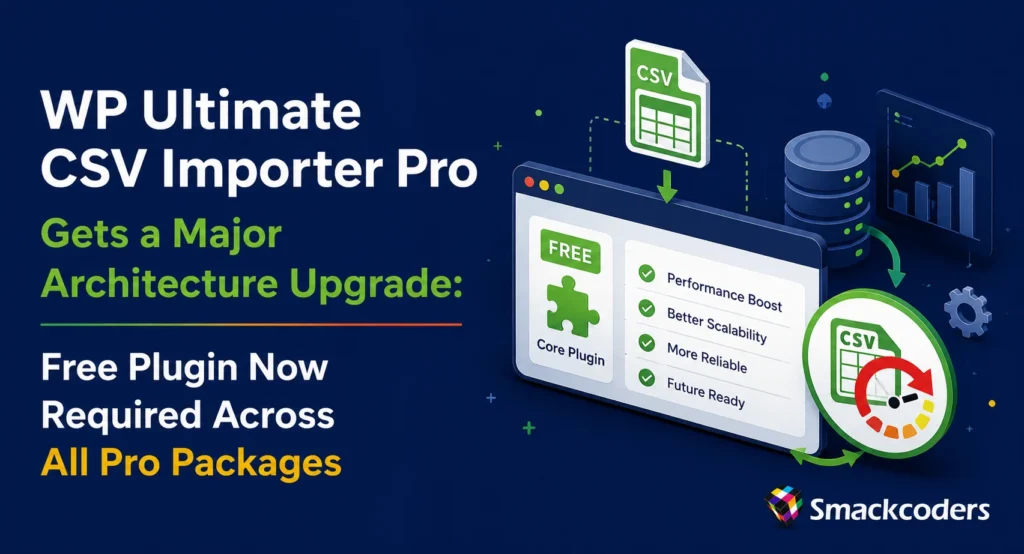
If you have been using WP Ultimate CSV Importer Pro for a while, you already know how much ground this plugin covers. From migrating thousands of posts and WooCommerce products to handling custom fields, multilingual content, and complex taxonomies, it has long been one of the more reliable import-export solutions in the WordPress ecosystem. With the latest round of releases, we are making a foundational change to how the plugin suite is structured, and we want to take the time to explain exactly what that means for you.
Starting with WP Ultimate CSV Importer Premium 8.15, Custom Fields Import Pro 8.3, and WPML Import Pro 6.2, all three Pro packages now require the free version of WP Ultimate CSV Importer to be installed and activated on your site. This is not a licensing restriction or a paywall, but rather a deliberate architectural decision that makes the entire plugin suite faster, more stable, and significantly easier to maintain and extend going forward.
TL;DR: What You Need to Know Right Now
- CSV Importer Pro 8.15, CF Pro 8.3, and WPML Pro 6.2 now require the free WP Ultimate CSV Importer plugin as a dependency.
- If the free plugin is not active, the Pro packages will auto-deactivate and show an admin notice guiding you through the setup.
- This change consolidates the plugin core, eliminates redundant code, and prepares the architecture for faster feature development.
- Several significant features also ship with this release, including AI-powered import with cost estimation, WPBakery migration support, Google Sheets transport with cron retry, and expanded WooCommerce handling.
- Updating takes a few minutes. Install and activate the free plugin, then reactivate your Pro package. Everything else stays the same.
Why This Architectural Shift Actually Matters
Plugin architecture is not the most exciting topic for most WordPress users, and that is fair. But this particular change has a direct and practical impact on how reliably the tool works, how quickly issues get fixed, and how smoothly new features get built. Understanding the reasoning here will help you appreciate why this update is a step forward, not a step backward.
Until now, the CSV Importer Pro, CF Pro, and WPML Pro add-ons each carried their own copies of shared core logic. That meant three separate code paths handling the same fundamental operations: file parsing, data validation, admin bootstrapping, database connections, and more. Every time a change was needed in that shared logic, it had to be replicated across three separate packages. Bugs introduced in one place sometimes appeared in others because the copies drifted out of sync over time. Compatibility issues with a WordPress update or a popular plugin could surface differently in each package, making diagnosis slower than it needed to be.
The free plugin now serves as that single shared foundation. All three Pro packages load their core dependencies from one trusted source. This consolidation eliminates the duplication, dramatically reduces the surface area for bugs, and means that a fix applied to the shared core benefits every package simultaneously.
The changelog entries behind this change tell the story clearly. The Pro core now establishes a “shared architectural foundation for CSV Pro, CF Pro, and WPML Pro addons.” The free plugin received a new Smackcoders\UCI\Core namespace and a restructured bootstrap architecture, alongside improvements to file loading, performance, and third-party compatibility. These are not cosmetic changes, and they reflect a serious engineering investment in making the plugin suite work as a coherent system rather than a collection of loosely related tools.
The Free Version Requirement: What It Means and How It Works
To be clear about what this means in practice: the free WP Ultimate CSV Importer plugin from the WordPress.org repository must be installed and active on any site running a Pro package. The Pro extension then layers its premium functionality on top of that shared base.
If the free plugin is not detected, the Pro package will automatically deactivate itself and display a clear admin notice in the WordPress dashboard explaining what needs to be done. There is no silent failure, no cryptic error, and no guesswork. The notice walks you through exactly what is missing and how to fix it.
This dependency validation flow has been implemented across all three Pro packages and is covered in the changelog for each one. For CF Pro, the same logic also handles the deactivation of duplicate Free UI elements when the Pro package is active, so you do not end up with redundant admin panels cluttering your dashboard. The shared backend loaders continue operating correctly behind the scenes, which means your existing import configurations and saved mappings are not affected.
What Changed in Each Pro Package
CSV Importer Pro 8.15: AI Imports, WPBakery Migration, and Google Sheets Transport
Version 8.15 is one of the more feature-dense releases in recent history. The headline additions center on three distinct areas: AI-powered importing, WPBakery page builder migration, and Google Sheets integration.
The AI Natural Language Import feature has been substantially improved. One of the most practical additions is client-side AI token estimation, which gives you a pre-import prediction of usage costs before you run a large import job. For teams managing budgets or running imports at scale, knowing the likely cost in advance removes a meaningful source of uncertainty. The AI prompt-context processing has also been refined, with manual override handling removed in favour of a cleaner, more consistent experience.
WooCommerce users working with AI-assisted product imports now have validation support across 18 specific mapping rules, which helps catch configuration errors before they result in bad data. The AI Import interface has been redesigned with a premium rounded UI and branded teal-themed components, making it more pleasant to work with during complex mapping sessions.
For sites built with WPBakery, this release introduces dedicated migration support. Three new modules handle WPBakery export, import, and extension functionality. A Media Manifest system manages asset migration and attachment URL rewriting, while vc_templates migration brings its own custom mapping fields. If you have ever tried to migrate a WPBakery-heavy site manually, you will understand why having this handled automatically inside the import process is genuinely useful.
The Google Sheets transport module adds another meaningful integration. Imports sourced from Google Sheets now benefit from a dedicated HTTP transport layer with cron-based retry and automatic rescheduling when a request fails. This makes Google Sheets a more dependable import source for teams running scheduled or recurring imports.
On the bug fix side, several longstanding issues have been resolved. WooCommerce product SKU updates during CSV imports now work correctly. A JetEngine custom post type export bug has been fixed. User login sessions no longer break after CSV-based user imports, which was a particularly disruptive issue that affected sites running user onboarding or bulk account creation workflows. Multisite users will also notice that subsite user exports now return accurate results rather than zero rows.

WP Ultimate CSV Importer Pro
Get Ultimate CSV/XML Importer to import data on WordPress faster, quicker and safer.
CF Pro 8.3: Meta Box Support, XML Formula Recursion, and Stability Improvements
Ultimate CF Pro handles custom field imports and exports, and version 8.3 extends its compatibility in two notable directions while also addressing some serious stability issues.
Meta Box users can now import block editor fields and URL fields, filling gaps that were previously frustrating for agencies working with Meta Box-heavy configurations. The update also expands XML formula support to handle nested functions with recursive transformation logic, a technical improvement with real-world implications for anyone processing complex, formula-driven data structures during import.
Fourteen language files have been updated with missing translation keys, which is a welcome improvement for plugin users working in languages other than English. This kind of localization maintenance often gets overlooked in release notes, but it matters for international teams and multilingual site operators.
On the stability side, fatal initialization crashes in the plugin bootstrap have been resolved. A namespace mismatch between the CRON scheduler callbacks for CFCSV and CustomFieldsPro has been fixed, as this was causing scheduled imports to fail silently in some configurations. The backupindex.php file no longer shows up as a phantom plugin in the WordPress Plugins dashboard, which was a confusing cosmetic issue for site administrators. Project-wide code style normalization across 42 files rounds out the release, improving long-term maintainability.
WPML Pro 6.2: Dependency Validation Added
The WPML Pro 6.2 release is focused and intentional. The primary change mirrors what was introduced in CF Pro: a dependency validation flow with Pro auto-deactivation and clear admin notices when the free plugin is not present. This brings WPML Pro into alignment with the new architecture shared across the entire suite.
Real Benefits for Your Daily Workflow
It is worth spelling out what this architectural change actually delivers in practical terms, because the benefits extend well beyond a cleaner codebase.
Fewer conflicts and fatal errors.
By eliminating duplicate class loading and conflicting namespaces across packages, the risk of fatal activation errors drops significantly. This has been a source of support tickets and site downtime for some users, and it is now addressed at the foundation level.
Faster updates and fixes.
When a bug is identified in shared logic, it gets fixed once in the core and that fix propagates to every Pro package. Previously, fixes sometimes needed to be applied in three separate places, which introduced delays and the possibility of incomplete repairs.
Easier plugin management for agencies and developers.
Managing plugin dependencies is a standard pattern in professional WordPress development. Tools like Composer and plugin dependency management plugins are built around this model. Having a clearly declared dependency makes the suite easier to deploy, document, and manage across multiple client sites.
Better scalability for future features.
New capabilities like the AI import engine, Google Sheets transport, and WPBakery migration support are being built on this shared foundation. As the product roadmap expands, the shared core means that new integrations and features benefit all packages simultaneously without needing to be rebuilt for each one.
Who Is Affected by This Update?
This change affects every site currently running CSV Importer Pro, CF Pro, or WPML Pro without the free version installed alongside it. If the free plugin is already active on your site, you will not notice any disruption after updating.
Users most likely to need action are those who purchased a Pro package directly and never installed the free plugin, since they had no reason to before. This is a common scenario, as many users come to the Pro version without going through the free version first. If that describes your setup, the upgrade path is straightforward and takes only a few minutes.
WooCommerce store owners, agencies managing client sites, developers running multisite installations, and content teams handling bulk imports are all affected if the free plugin is not already present. Anyone running automated or scheduled imports should prioritise this update to avoid import jobs failing after the Pro package auto-deactivates.
What You Need to Do Right Now
The steps are simple. Here is the full process:
Step 1: Check Whether the Free Plugin Is Already Installed
Go to Plugins in your WordPress dashboard and search for “WP Ultimate CSV Importer.” If you see the free version listed as active, you are already in good shape. Proceed to update your Pro packages and you are done.
Step 2: Install the Free Plugin If It Is Not Present
Navigate to Plugins > Add New and search for “WP Ultimate CSV Importer.” Install and activate it. The free plugin is available on WordPress.org at no cost and has no impact on your existing Pro license.
Step 3: Update Your Pro Packages
With the free plugin active, update CSV Importer Pro to 8.15, CF Pro to 8.3, and WPML Pro to 6.2 from your account area or via the plugin update mechanism on your site. If you update the Pro plugin before installing the free version, you will see an admin notice. Follow the instructions in that notice, and the Pro package will reactivate automatically once the dependency is satisfied.
Step 4: Verify Your Import Configurations
After updating, run a test import using an existing template to confirm everything is working as expected. Your saved mapping configurations and import history are not affected by this update. This verification step is a precaution, particularly for sites with scheduled imports running in the background.
Frequently Asked Questions
Does installing the free plugin affect my Pro license or features?
No. Installing the free plugin does not alter your Pro license in any way. The free version serves as a shared foundation. All Pro features remain exclusive to the Pro packages and are not replaced or limited by having the free plugin installed.
What happens if I update the Pro plugin without installing the free version first?
The Pro package will automatically deactivate and display a clear admin notice in your WordPress dashboard. Your import data and configurations will not be lost. Once you install and activate the free plugin, the Pro package can be reactivated and everything will return to normal.
Will this break my existing import configurations or saved mappings?
No. Your saved import templates, column mappings, and import history are stored in your database and are not affected by the architectural changes in this update. The update is a structural change to how the plugin loads, not a change to how it stores or processes your data.
Is this change relevant for multisite installations?
Yes. On a multisite network, the free plugin should be network-activated to ensure it is available across all subsites where a Pro package is running. This also resolves the multisite subsite user export issue fixed in 8.15, where exports were returning zero results.
What does the AI token estimation feature actually do?
Before you run an AI-assisted import, the client-side estimation tool analyses your CSV file and predicts how many AI tokens will be consumed during the import process. This gives you a cost estimate upfront, which is particularly useful when running large imports or managing budgets on shared API accounts.
Does the free plugin add any UI elements to my dashboard?
When both the free plugin and a Pro package are active, CF Pro automatically suppresses the duplicate Free UI elements to prevent clutter. The shared backend loaders continue working, but you only see the Pro interface. This coexistence improvement was specifically addressed in CF Pro 8.3.
Final Thoughts: A Stronger Foundation for What Comes Next
There are two types of plugin updates. The first kind adds shiny features to the surface while leaving the underlying structure intact. The second kind does the harder work of improving the foundation so that everything built on top of it performs better and lasts longer. This release is firmly in the second category.
Requiring the free plugin as a shared dependency is a well-established pattern in mature plugin ecosystems. WooCommerce itself works this way, where extensions require a core installation, and that dependency model is precisely what makes the ecosystem coherent and scalable. WP Ultimate CSV Importer is moving in the same direction.
The features shipping alongside this architectural change, including AI import with cost prediction, WPBakery migration support, improved Google Sheets transport, Meta Box block editor compatibility, and expanded XML formula handling, demonstrate that the investment in structure is already paying dividends. These are the kinds of integrations that become much faster to build when the foundation is solid.
If you have been running WP Ultimate CSV Importer Pro for any length of time, updating to these latest versions is worth doing sooner rather than later. The setup change is minimal, the bug fixes are meaningful, and the new features are genuinely useful. Head over to your account area or the Smackcoders website to grab the latest versions and get your site up to date.
Download the latest versions from your Smackcoders account and try today.
