
When comparing EmDash vs WordPress, choosing the right blogging platform isn’t just about getting your content online. Your platform affects your website’s speed, scalability, SEO performance, and overall user experience. In 2026, many bloggers and businesses are moving toward faster, lightweight publishing platforms built on modern frameworks like Astro and TypeScript. As static site generators and headless CMS platforms continue gaining popularity, WordPress is now being compared against a new generation of speed-focused alternatives like EmDash.
WordPress has long been the industry standard, known for its flexibility and massive ecosystem. In contrast, newer platforms like EmDash focus on performance, simplicity, and modern web architecture, offering a faster and more streamlined blogging experience. EmDash is currently in v0.1 preview, so while it is promising, its ecosystem is still much smaller than WordPress’s. The real question is, do you need full control, or do you want something that just works efficiently out of the box?
| Note: EmDash is currently in v0.1 preview. Features, integrations, and availability may evolve over time. This comparison reflects EmDash’s current capabilities and positioning as of 2026. |
Key Takeaways
- WordPress offers unmatched flexibility but requires ongoing maintenance
- EmDash focuses on speed, simplicity, and built-in performance
- Choosing between EmDash vs WordPress depends on whether you value customization or efficiency
What is EmDash? A Modern Speed-First Blogging Platform
EmDash is a lightweight, static-first blogging platform built for speed, simplicity, and minimal maintenance.

High-Performance for Modern Writers
EmDash is built with a clear focus on speed and simplicity. Unlike traditional CMS platforms that depend on databases and multiple plugins, EmDash follows a lightweight approach that delivers faster load times and a smoother user experience.
For writers, this means less time dealing with technical issues and more time creating content. There’s no need to manage plugin updates, security fixes, or performance tweaks; everything is optimized by default. In practice, this makes EmDash a strong choice for bloggers and creators who want a clean, hassle-free publishing workflow without sacrificing performance.
How EmDash Works: Astro + TypeScript Architecture
At its core, EmDash uses modern technologies like Astro and TypeScript. Astro helps generate static pages with minimal JavaScript, which significantly improves loading speed. TypeScript adds an extra layer of reliability, helping make the platform more stable, scalable, and easier to maintain as it grows. Instead of building pages dynamically for every visitor, EmDash serves pre-built pages. This approach reduces server load and enhances both speed and security, making it well-suited for today’s performance-driven web.
What is WordPress? The World’s Most Popular CMS
WordPress is an open-source CMS powering 43% of all websites, known for its flexibility and massive plugin ecosystem.
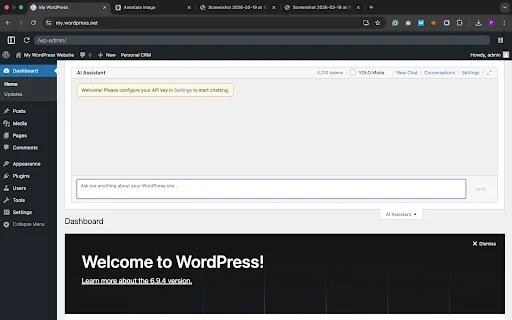
The Open-Source CMS That Powers 43% of Websites
According to W3Techs, WordPress powers over 43% of all websites worldwide, making it the most widely used CMS today. Its popularity comes from one key strength: flexibility. Whether you’re building a simple blog, a business website, or a full-scale eCommerce store, WordPress can handle it.
WordPress is free to use, open-source, and maintained by a large global community of developers worldwide. This means thousands of themes, plugins, and tutorials are available, making it accessible even for beginners. At the same time, developers can customize almost every aspect of a WordPress site, giving it unmatched versatility. Explore our WordPress plugins overview.
WordPress Plugin Ecosystem: 60,000+ Extensions
What truly sets WordPress apart is its ability to do almost anything. With access to over 60,000 plugins, you can add features like SEO optimization, payment gateways, membership systems, and more without building everything from scratch.
However, this flexibility comes with responsibility. Managing plugins, updates, and security can become time-consuming, especially as your site grows. Performance can also vary depending on how well the site is optimized.
In 2026, WordPress continues evolving through Full Site Editing (FSE), block themes, and WooCommerce performance improvements, helping it remain competitive despite the rise of modern static and headless CMS platforms.
WordPress also benefits from a mature ecosystem built around tools like Gutenberg, the native block editor, WooCommerce for eCommerce, and popular builders like Elementor. These features make WordPress a flexible platform for businesses, publishers, and eCommerce websites. Managing large amounts of WordPress content or products? WP Ultimate CSV Importer helps growing WordPress websites handle bulk imports, content updates, and data migrations without manual effort.
EmDash vs WordPress: Feature-by-Feature Comparison
EmDash wins on speed and simplicity, while WordPress leads in customization, scalability, and plugin support.
The EmDash vs WordPress discussion also reflects the broader static site generator vs CMS debate happening across the modern web ecosystem.
Customization: Fixed Speed vs. Infinite Freedom
This is where the difference becomes clear. EmDash follows a structured approach, offering limited but optimized customization to maintain speed and stability. You get clean design options and essential features without the risk of breaking performance.
WordPress, in contrast, offers almost unlimited customization. From themes to custom code, you can build virtually any type of website. However, this freedom can sometimes lead to bloated setups if not managed carefully.
Plugin Ecosystem: Cloudflare Workers Sandbox vs. 60,000+ Plugins
EmDash keeps things minimal by avoiding a traditional plugin ecosystem. Instead, it relies on built-in features and controlled integrations (often through environments like Cloudflare), reducing dependency risks.
WordPress thrives on its massive plugin library, over 60,000+ plugins. Need SEO tools, analytics, or eCommerce functionality? There’s likely a plugin for it. The downside is that too many plugins can slow down your site or create compatibility issues. Explore our guide on the best SEO plugins to learn more about them.
Security: Addressing the “Plugin Vulnerability” Gap
Security is another major differentiator. EmDash reduces risk by limiting third-party dependencies and using a modern architecture that minimizes common vulnerabilities.
WordPress, while secure at its core, can become vulnerable if plugins or themes are outdated. Since it’s widely used, it’s also a common target for attacks. Regular updates and security plugins are essential for keeping a WordPress site secure, protected from vulnerabilities, and running smoothly over time. Read the full blog on WordPress 7.0 security features.
Performance Comparison: Evaluating Speed, Core Web Vitals, and Page Load Times
EmDash is built with a performance-focused architecture that uses static page generation and lightweight JavaScript delivery.
WordPress performance depends heavily on how it’s configured. With the right hosting, caching, and optimization plugins, it can be fast, but it usually requires manual tuning.
This shift has also contributed to the growing WordPress vs headless CMS conversation among developers and publishers focused on performance.
In simple terms, EmDash gives you speed out of the box, while WordPress gives you the tools to achieve it if you know how to use them.
| Feature | EmDash | WordPress |
| Performance | Fast by default | Depends on optimization |
| Ease of Use | Simple, minimal setup | Moderate learning curve |
| Customization | Limited | Highly flexible |
| Maintenance | Low | High |
| Security | High (fewer third-party risks) | Depends on plugins/updates |
| Cost (Ongoing) | Low (minimal hosting) | Varies ($5–$50/month depending on hosting and plugins) |
| Best For | Bloggers, simple sites | Businesses, complex websites |
Pros and Cons: EmDash vs WordPress
EmDash offers performance with fewer features, while WordPress offers full control with more maintenance overhead.
The EmDash vs WordPress comparison becomes easier when you look at their strengths side by side
EmDash
Pros
- Fast performance by default with minimal setup
- Low maintenance, no plugin updates or constant fixes
- Better security due to fewer third-party dependencies
- Clean, distraction-free writing experience
Cons
- Limited customization compared to traditional CMS platforms
- Smaller ecosystem with fewer integrations
- Not ideal for complex websites or advanced features
WordPress
Pros
- Fully adaptable for blogs, business sites, eCommerce stores, and complex web platforms
- Massive plugin and theme ecosystem
- Strong SEO capabilities with the right tools
- Scalable for blogs, business sites, and e-commerce
Cons
- Requires regular maintenance (updates, backups, security checks)
- Performance depends on hosting and optimization
- Plugin conflicts and vulnerabilities can occur
- Can become complex as the site grows
EmDash vs WordPress: Which Platform Is Right for You?
Choose EmDash for fast, simple blogging. Choose WordPress for scalable, feature-rich websites.
In the EmDash vs WordPress decision, your priority determines the winner.
Pick EmDash for Fast, Secure, and Hassle-Free Blogging
If you want a fast and secure platform that just works, EmDash is a good fit. It’s ideal for bloggers, indie creators, and developers who don’t want to spend time managing plugins, fixing performance issues, or handling security updates.
If your primary goal is to publish content quickly with excellent load times and minimal maintenance, EmDash offers a streamlined experience. It works especially well for personal blogs, portfolios, and content-focused sites where simplicity and performance matter most.
Choose WordPress If You Need Scalability, SEO Power, and Business Tools
WordPress makes more sense if your website is part of a larger plan, like growing a business, running an online store, or building a feature-rich platform. Its flexibility allows you to add anything from advanced SEO tools to membership systems and eCommerce functionality.
If you’re willing to manage updates and optimize performance, WordPress gives you the freedom to scale without limitations. It’s best suited for business websites, agencies, and content-heavy platforms that need long-term growth and customization.
Conclusion
The EmDash vs WordPress decision comes down to what you need most from your platform.
If you prefer a fast, low-maintenance, and modern blogging experience, EmDash is a strong choice that lets you focus on content without technical distractions. But if you’re looking for flexibility, scalability, and advanced features, WordPress remains the better option for long-term growth and customization.Already on WordPress? Manage bulk imports, updates, and migrations with WP Ultimate CSV Importer. [Try Free →]
1. What is the key difference between EmDash and WordPress?
The key difference between EmDash and WordPress lies in how they handle website management and performance. EmDash focuses on speed, simplicity, and minimal maintenance with a static-first architecture, while WordPress offers extensive customization through themes, plugins, and a large ecosystem.
2. Which platform is easier for beginners: EmDash or WordPress?
EmDash is easier for beginners – no plugins, no hosting configuration, no maintenance required. WordPress gives you more control and features but takes more time to learn and configure.
3. Is EmDash faster than WordPress?
EmDash uses static page generation and minimal JavaScript for faster load times by default. WordPress can match it with proper caching and hosting but requires manual optimization.
4. Does EmDash support SEO optimization?
Yes. EmDash’s static-first architecture improves page speed and Core Web Vitals, both key SEO ranking factors.
5. Can I migrate from WordPress to EmDash?
Not fully yet. EmDash is in v0.1 preview and migration tools are limited. Manual transfer is possible for small sites only.
